Casino Carousel
The Casino Carousel is the main attraction of the Casino Page. It shows all the latest promos, Public and Targetted, to the customers. In this section, we will provide the necessary steps in building the Casino Carousel.
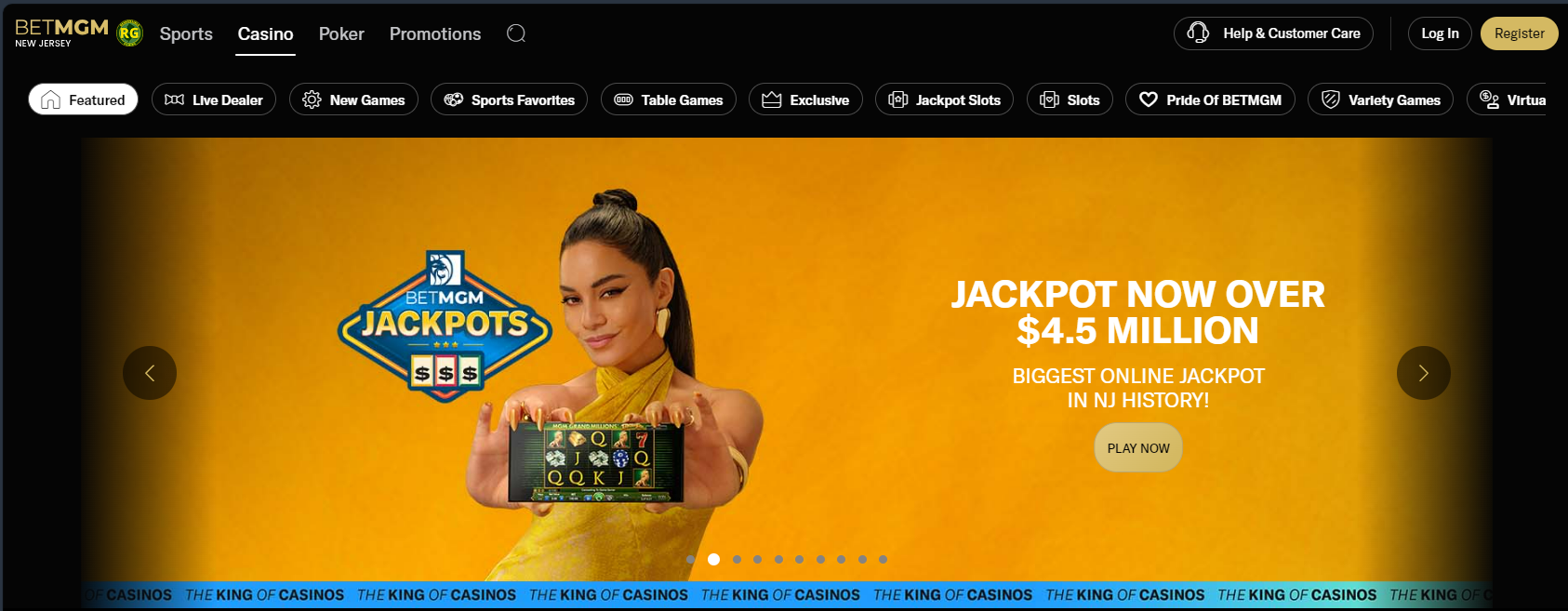
Creating The Carousel
To create your Carousel, navigate to it's directory:
Content > Vanilla.Mobile > State/Brand > MobileCasino-v1.0 > Teasers > Repository
Duplicate one of the Carousel object, preferably the template.
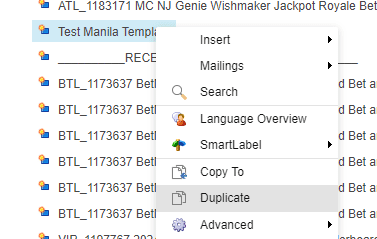
Name the new Carousel object with the Ticket name.
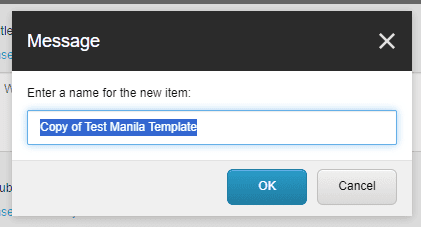
Desktop and Mobile Carousels?
Most of the time we create 2 version of the carousel, one for mobile one for desktop. This is based on the supplied asset from the designers. In this case we need to check for 2 assets: 605x328 and Casino Carousel-1920x560.
If there is no provided 605x328 we need to create a desktop and mobile carousel, but if there is, we only need to create a single carousel.
For desktop and mobile carousels, simply suffix a -Desktop and -Mobile to label the appropriate carousels
Required Fields
Field | Value |
|---|---|
Title | Carousel H1 |
Subtitle | Carousel H2 |
Image |
But if there is no provided, use a blank 605x328 image |
CTA link > Url | Depending on the ticket it may be Smartlink to |
Teaser link > Url | |
CTA Native link > Url | |
Teaser Native link > Url | |
CTA Title | Depending on the ticket it may be Smartlink to |
Background: Image |
|
Please check the CTA guide for the proper labeling and link to use.
Ticket Type | CTA Label | CTA URL |
|---|---|---|
Ticket with MPP | Learn More |
|
Game Announcement | Play Now |
|
Tiered Promo Log In | Log In |
|
Tiered Promo Sign Up | Sign Up |
|
Teaser Alignments
Device | Value |
|---|---|
Single Carousel | |
Desktop | |
Mobile | |
Filters
Device | Value |
|---|---|
Single Carousel | |
Desktop | |
Mobile | |
Pushing The Carousel
To push your newly created Carousel, navigate to this directory:
Content > Vanilla.Mobile > State/Brand > MobileCasino-v1.0 > LMTCategories > featured/lobbyhome
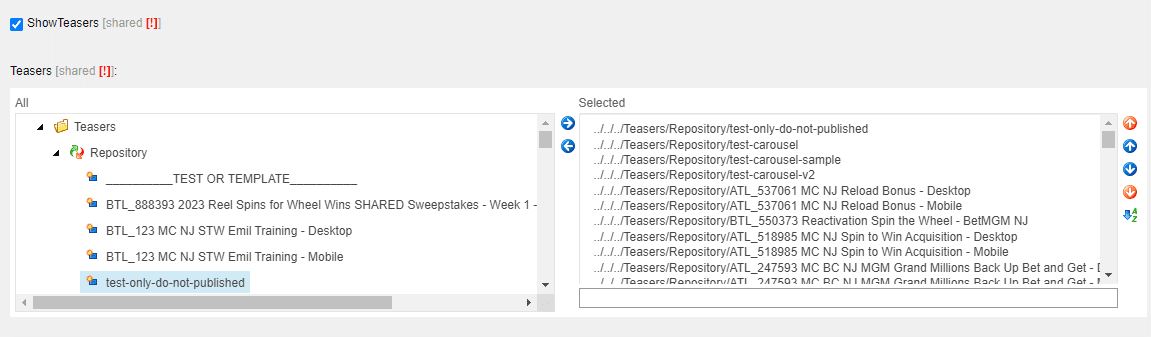
Find your Carousels in the left box then select and click the right arrow button. Do this for both Desktop and Mobile carousels.
Previewing The Carousel
To preview your Carousel go to your Product and State Website and then add your filter.
See example below:
https://casino.nj.betmgm.com/en/games?qa=manila