Assets Introduction
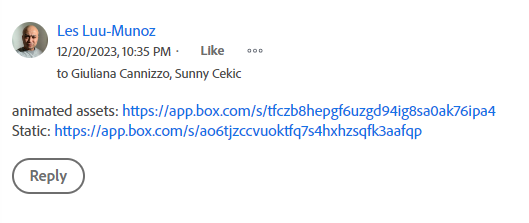
Assets are media files that are provided by the designers which then we upload to be used for our tickets.
To access a ticket's assets, navigate to the Updates tab in the Workfront ticket. Currently, the team utilizes Box links to share assets internally. Check the updates section for any Box links, as they contain the assets required for your ticket...
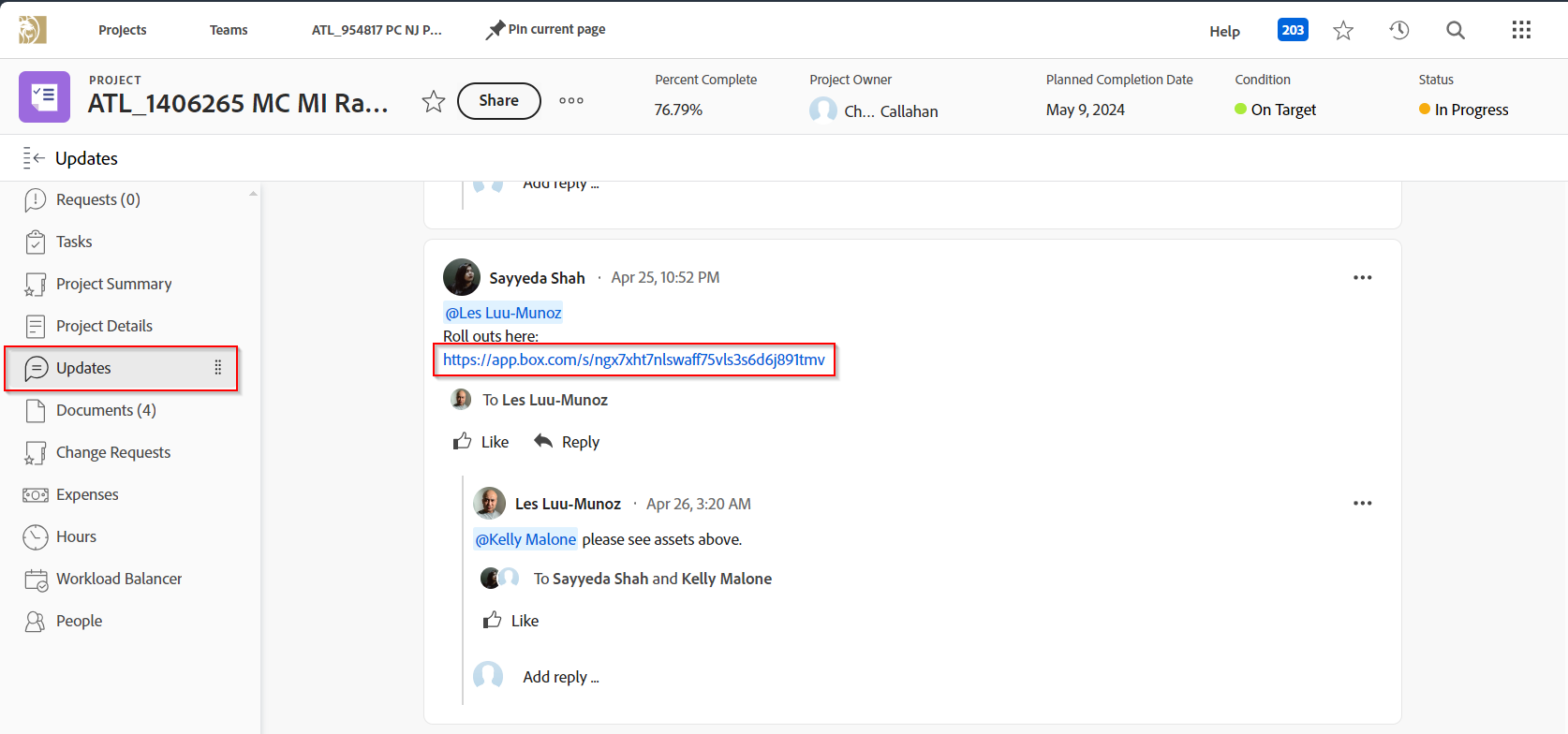
Multiple Box links may exist due to different versions designers are working on. Typically, select the latest uploaded Box link when choosing among them.
The general rule of thumb is that files need to be below 95KB in size, as this is the allowed limit for assets uploaded to Sitecore. Therefore, if there are any files that exceed this requirement, it's necessary to request a compressed version from the designers. Please refer to this page when making the request for asset compression.
Static Assets
Static assets are usually media files that consists of images in .jpg or .png format that are made by graphic designers. These are the more common assets that is used in tickets.
Usually designers will provide the Box link with two folders: 100kb or 95kb folder and 500kb folder. Always download the lower size folder and inspect again each images to confirm the sizes.

Animated Assets
Animated assets are typically provided in .gif format by motion designers. If any of these files exceed the required file size, it's necessary to compress them only if they are intended for use on builds in Sitecore. Otherwise, there's no need to request compression and uploading to Sitecore for those files.