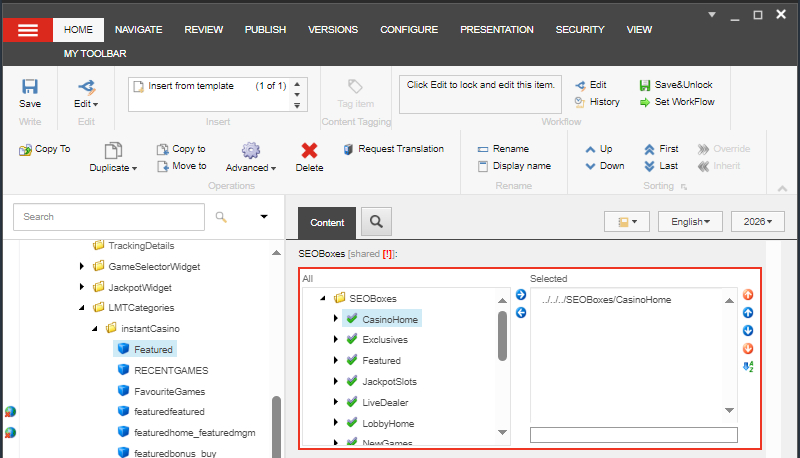
SEOBoxes
SEOBoxes contains contents to improve the website's pages discoverability in browsers or its SEO. This is guide's focus is only for Casino.
Content > Vanilla.Mobile > State/Label > MobileCasino-v1.0 > SEOBoxes
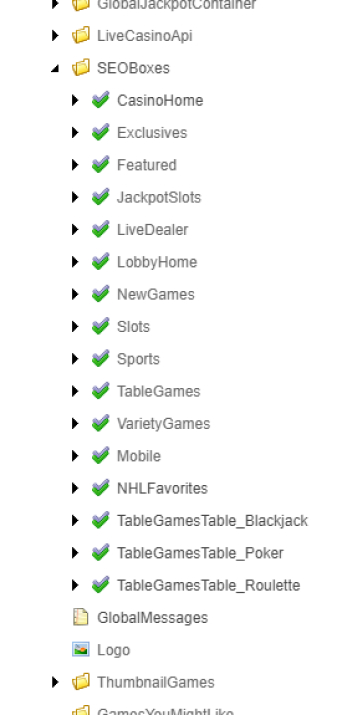
Inside The SEOBoxes folder you can see child items that represent for each page of casino, but some of these pages may not have any SEOBoxes.
There are 2 main sections for this:
And 2 steps:
- Updating the contents
- Pushing the SEOBox
PMOneColumnPage
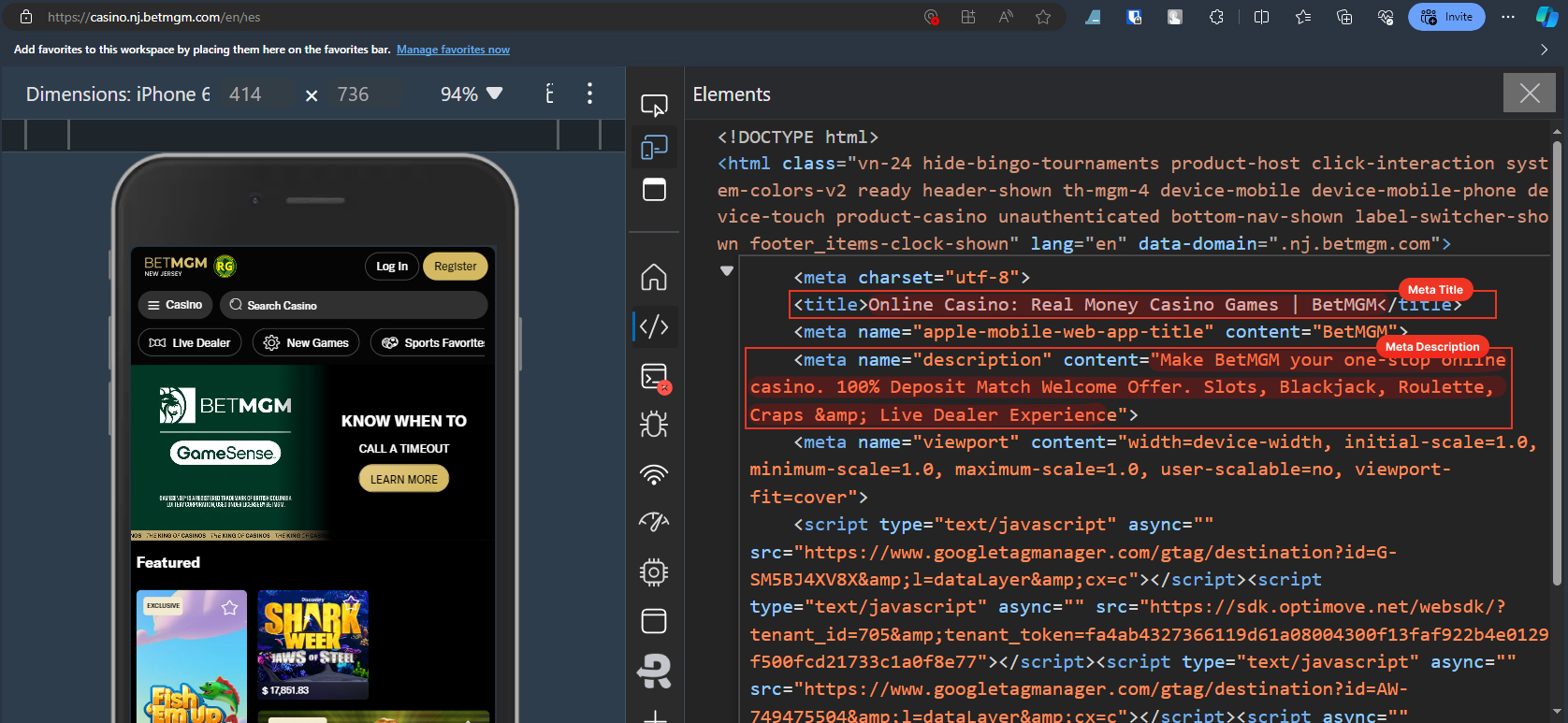
PMOneColumnPage contains meta tags which are not displayed on the website but work on the backend to improve visibility in search results by describing the page's content to search engines. It can be previewed using the Inspect function to a website.
To update, these can be edited thru the PMOneColumnPage item.
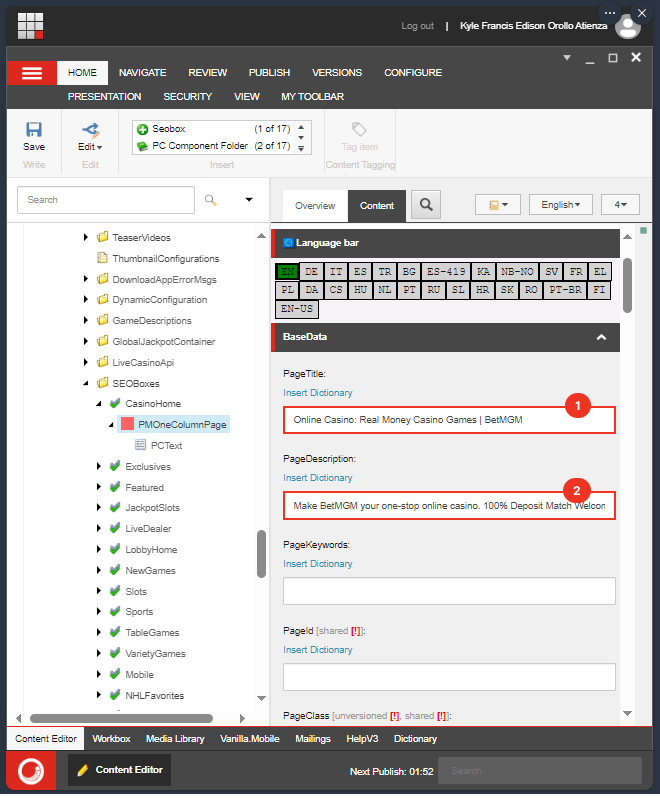
PCText
PCText contains the text which is usually is displayed at the bottom of a page, but it also contains the page description when it is searched on any browser.
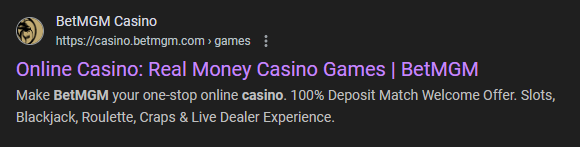
To update, these can be edited thru the PCText item under the PMOneColumnPage item.
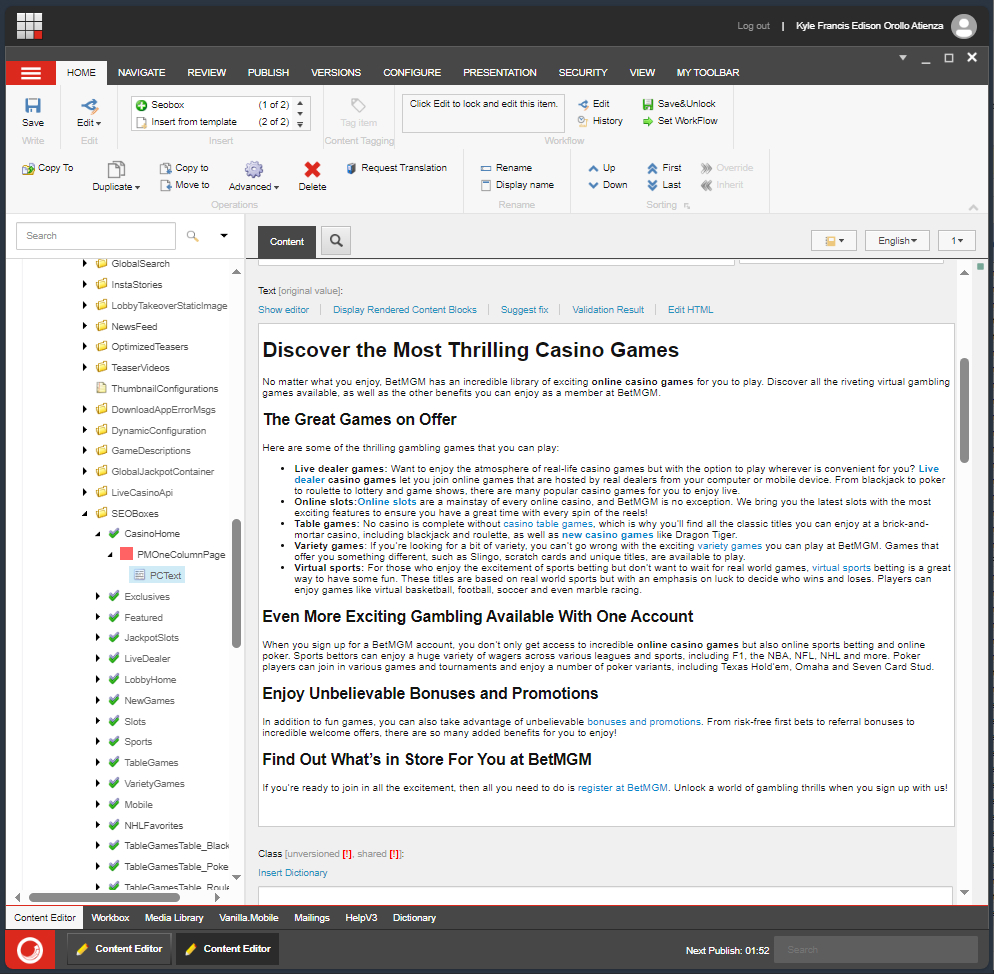
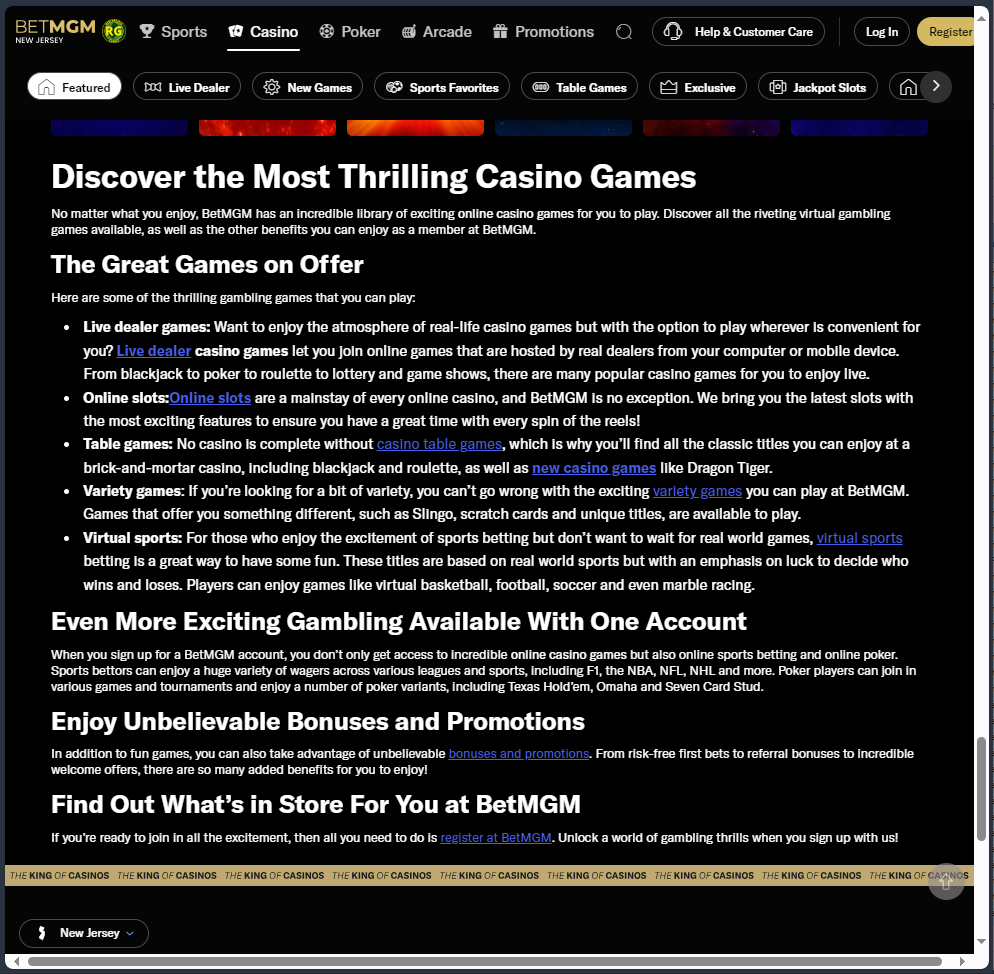
If the item you are editing is cloned from Whitelabel, first ensure it should or can be updated from Whitelabel. Some cloned SEOBox may have links that don't work correctly for every clone on other states.
Pushing the SEO Box
To ensure the SEOBox is applied correctly, it is required to be pushed to the appropriate LMTCategories item. If it has, no further action is needed. If not, follow these steps:
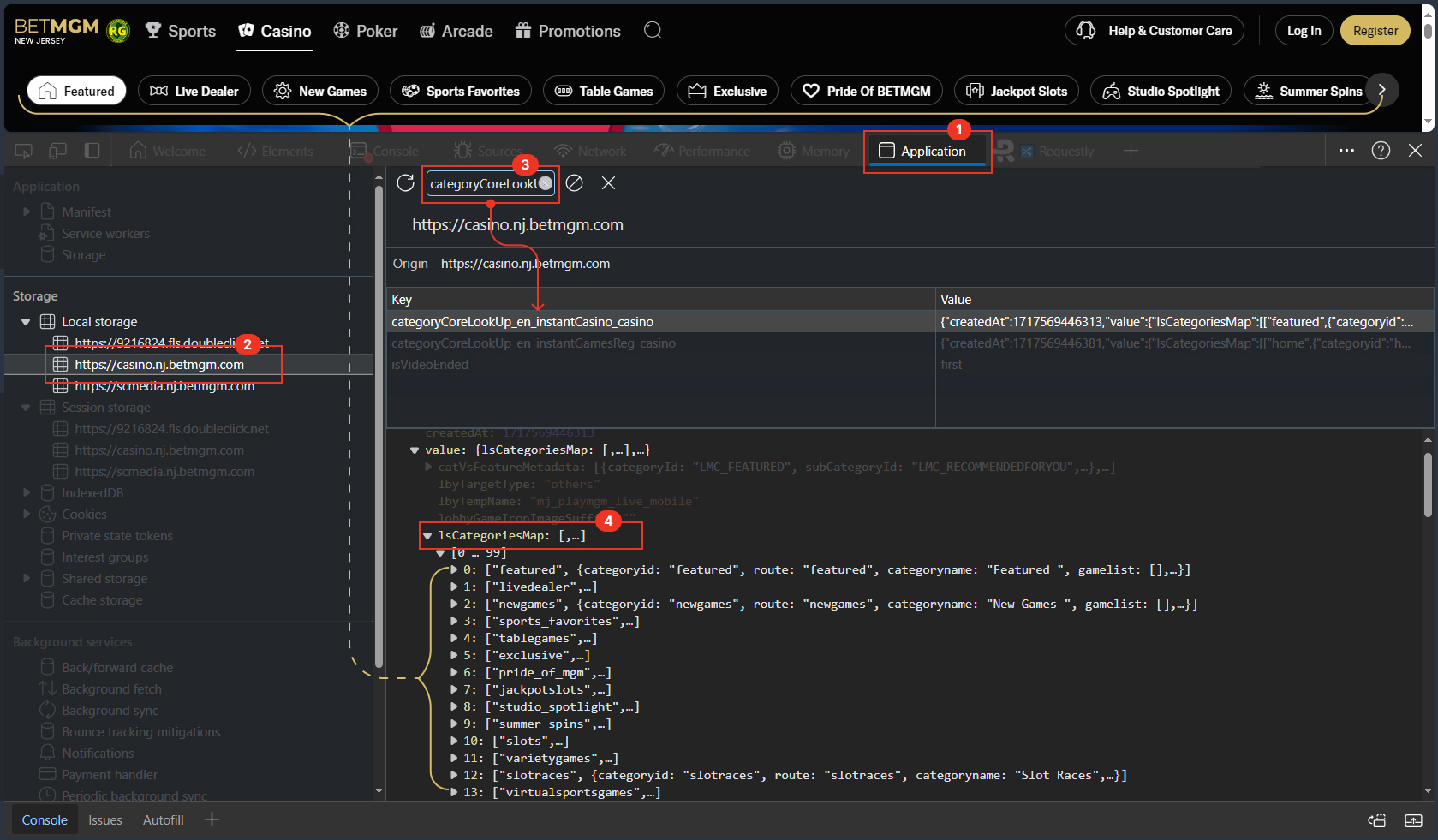
- Inspect your page and go to the
Applicationstab. - Click the website's URL under the Local Storage category.
- Search for
categoryCoreLookUp_en_instantCasino_casino, click the result, and check its value. - Look for the
lsCategoriesMapundervalue, an array showing the LMTCategories names that need updating. This array is ordered the same way page links are displayed on the website. This name coresponds to theLMTCategoriesitem that you would update on Sitecore.
Visualized Steps
After you have determined the LMTCategories item, you can now go and push the appropriate SEOBox on the SEOBox section.