Mission Page
Mission Page is an interactive Landing page where customers join and do challenges/missions to earn rewards.
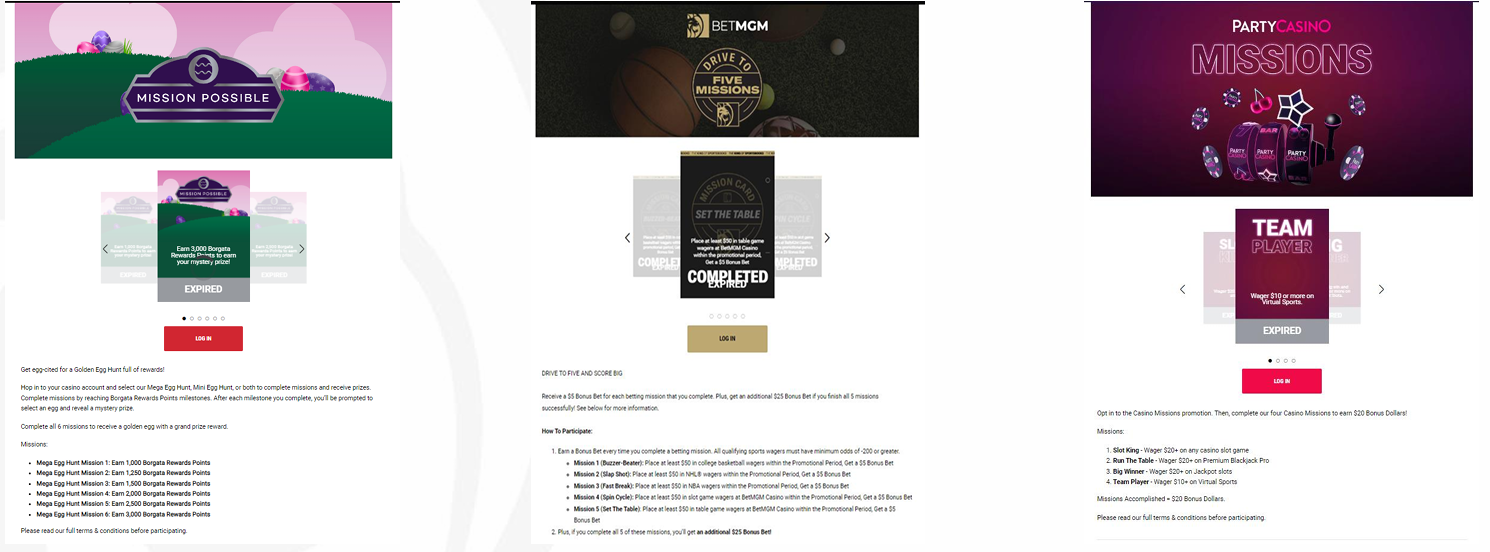
Building The Mission Page
Content Editor > Sitecore > Content > Vanilla.Mobile > m2.state.brand.com > Promo > casino / sports folder
- Shown below are the components that are required to update.
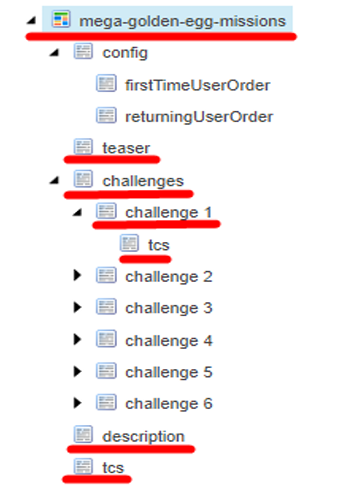
Parent
In this part you can adjust the size of the lockup and challenge_icon.
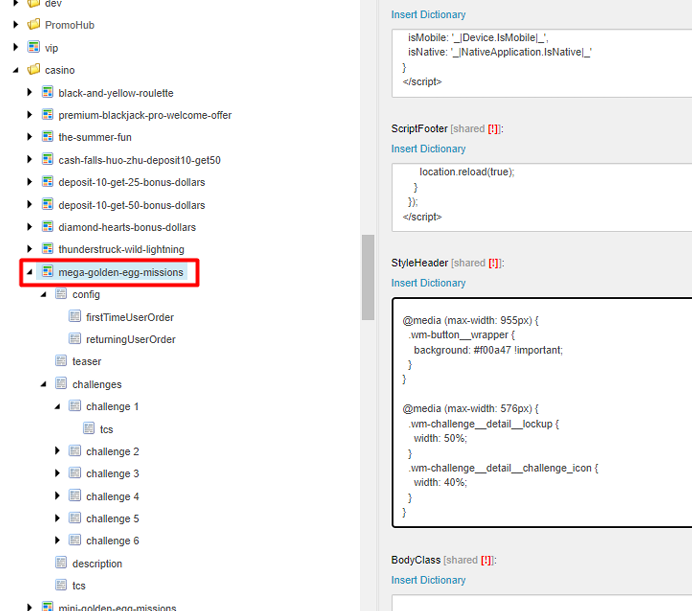
Here's a preview what it looks like on the page.
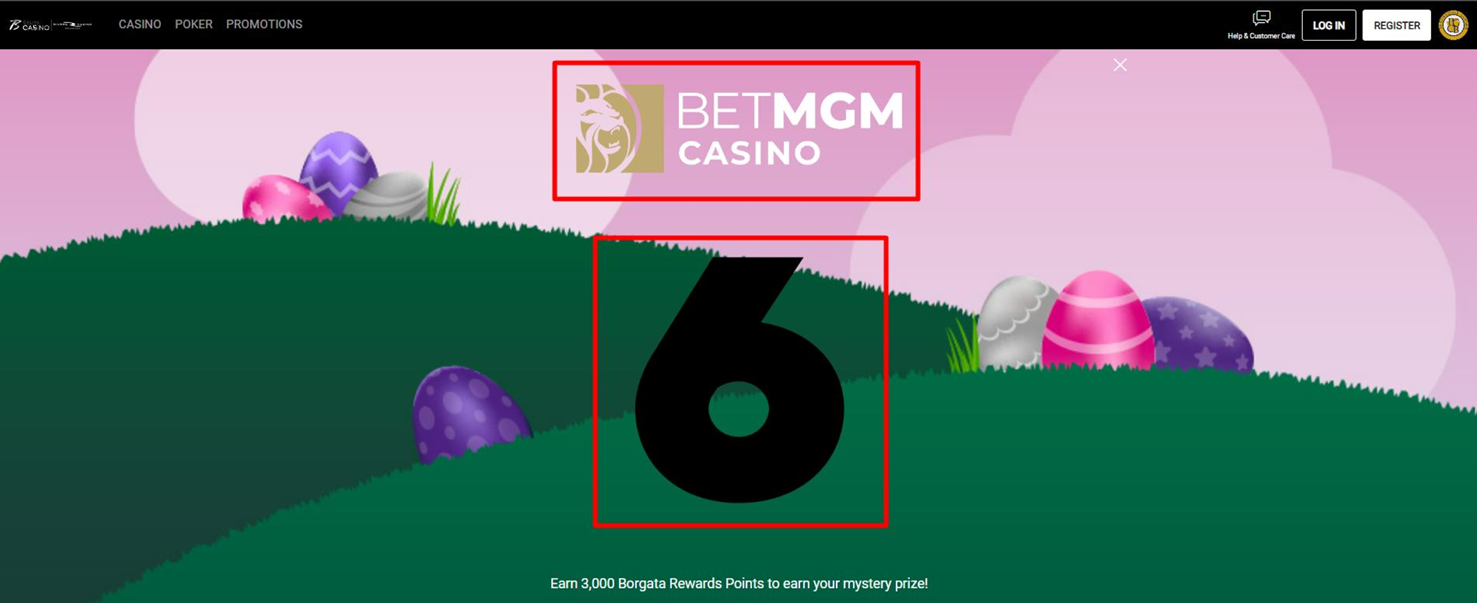
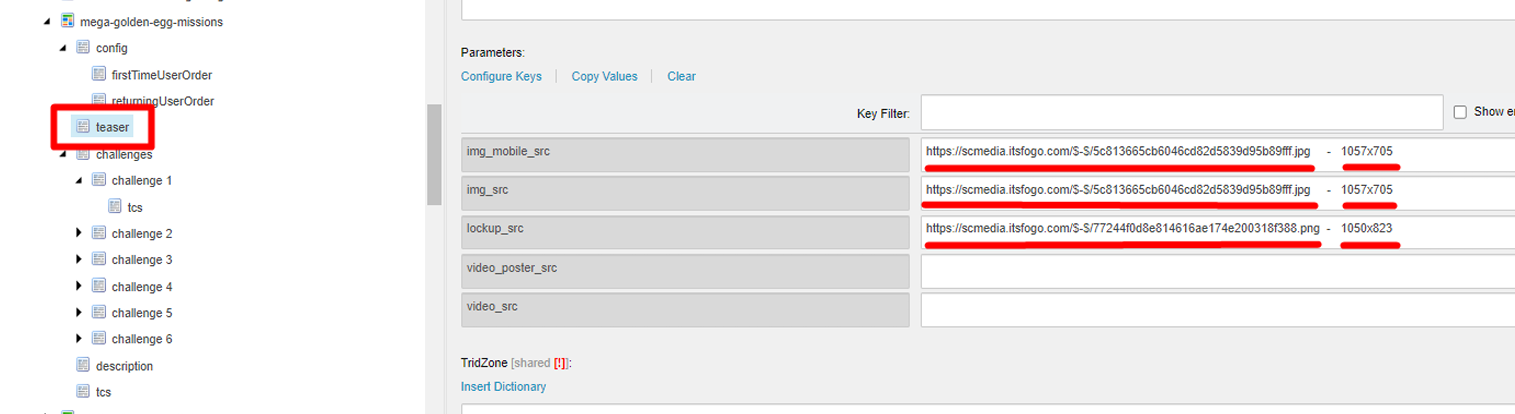
Teaser
Required | Size |
Img_mobile_src | 1057x705 |
Img_src | 1057x705 |
Lockup_src | 1050x823 |
Challenges
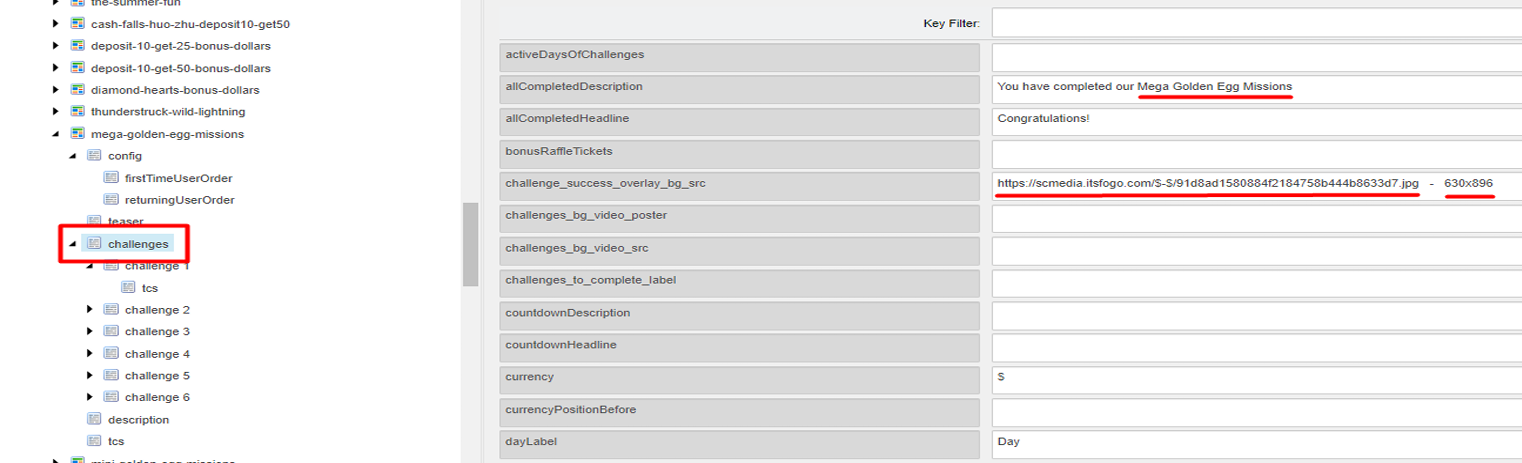
ForallCompletedDescription, just change the name of the Promotion.
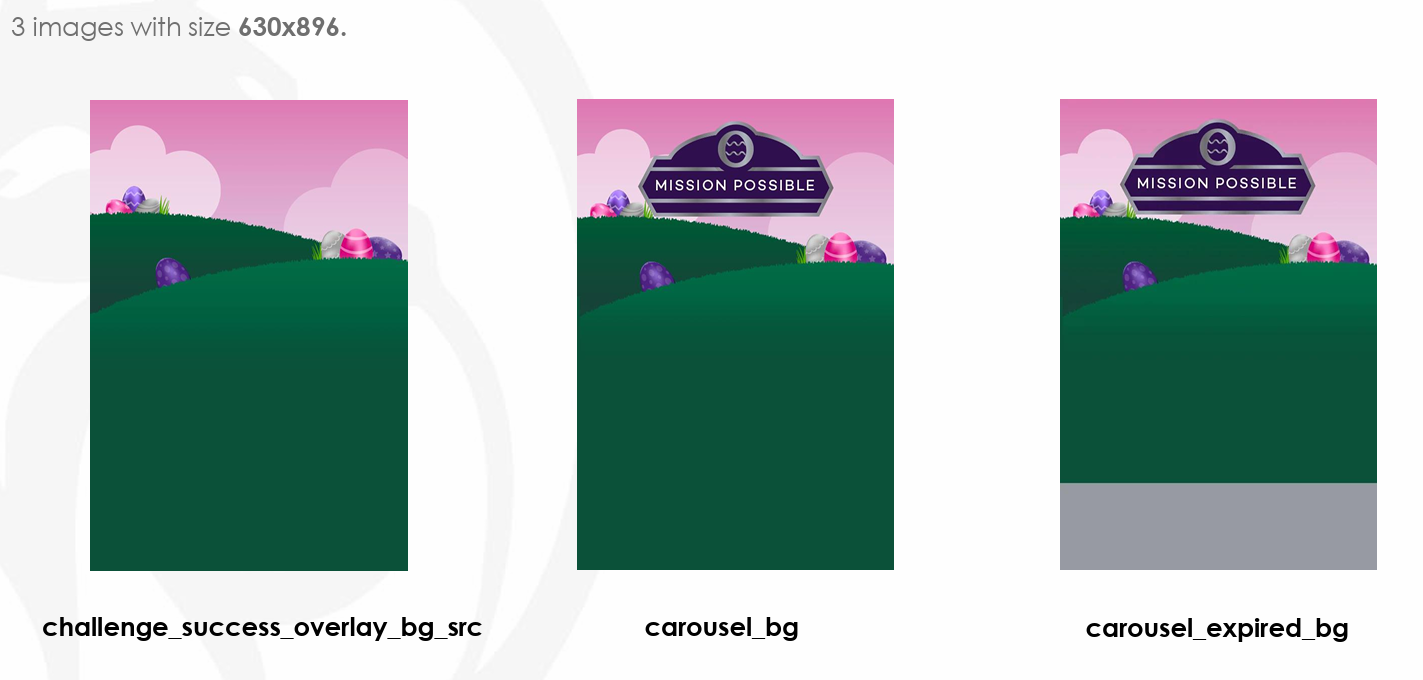
For challenge_success_overlay_bg_src - image size needed is 630x896 (there are three (3) images with the same size, please use the one with plain background).
Challenge (Cards)
Fields | Required |
carousel_bg and carousel_expired_bg | 630x896 |
challenge_icon | 649x648 |
cta_ur | according to your ticket state and brand |
description | you can find this part in the copy |
detail_bg | 1057x705 |
detail_countdown_headline | change according to your promotion name |
start and end date | update this part according on the promotional dates given |
headline_1 | PROMOTION NAME (all caps) |
headline_2 | MISSION # (all caps) |
Reference Image below.
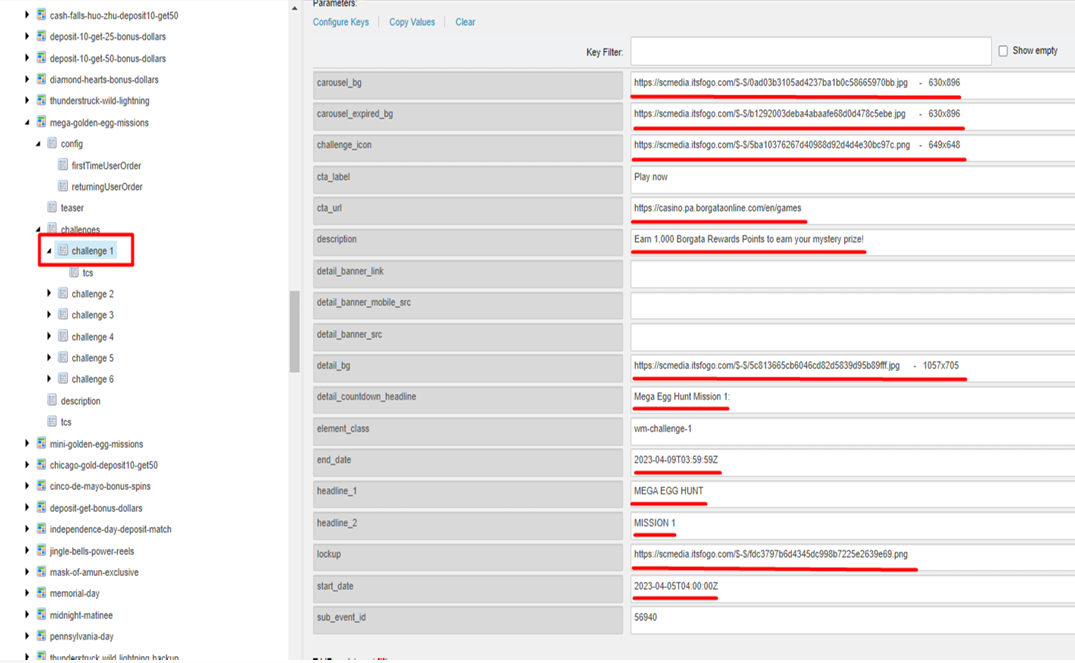
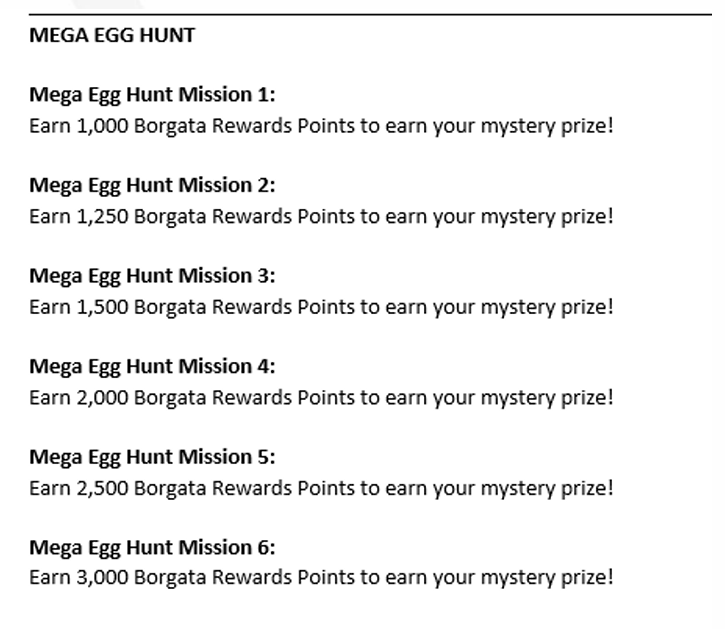
Repeat this action with all the other challenge/mission cards.
Description
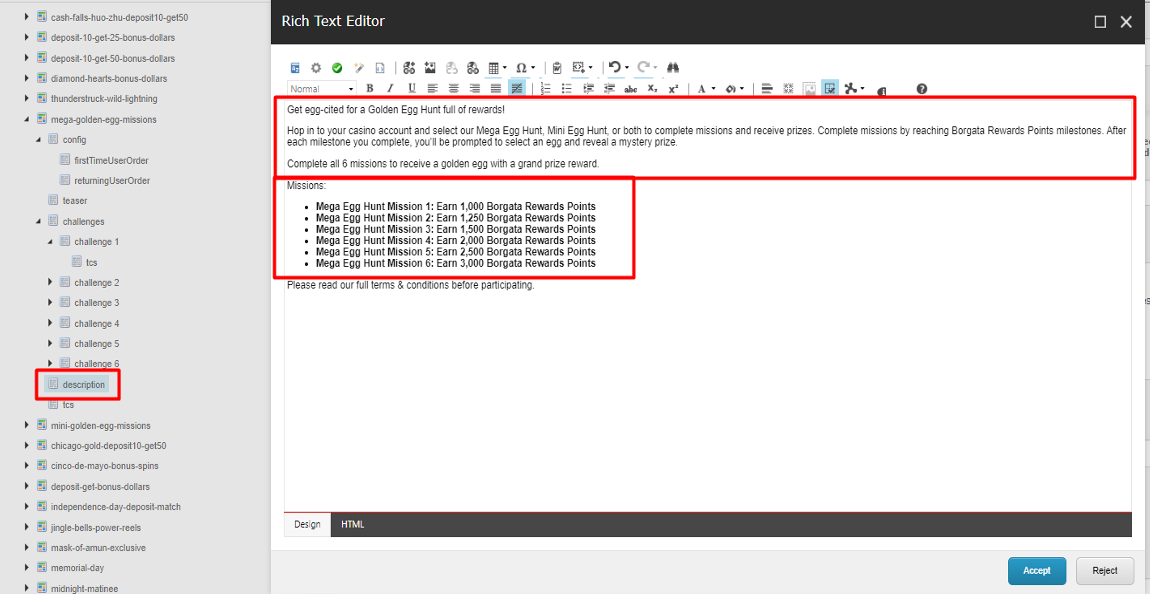
Upper box can found in the MPP description.
Lower box will be provided in another documents for this part.
Note: Don’t forget to put at the end:
Please read our full terms & conditions before participating.
Terms & Conditions
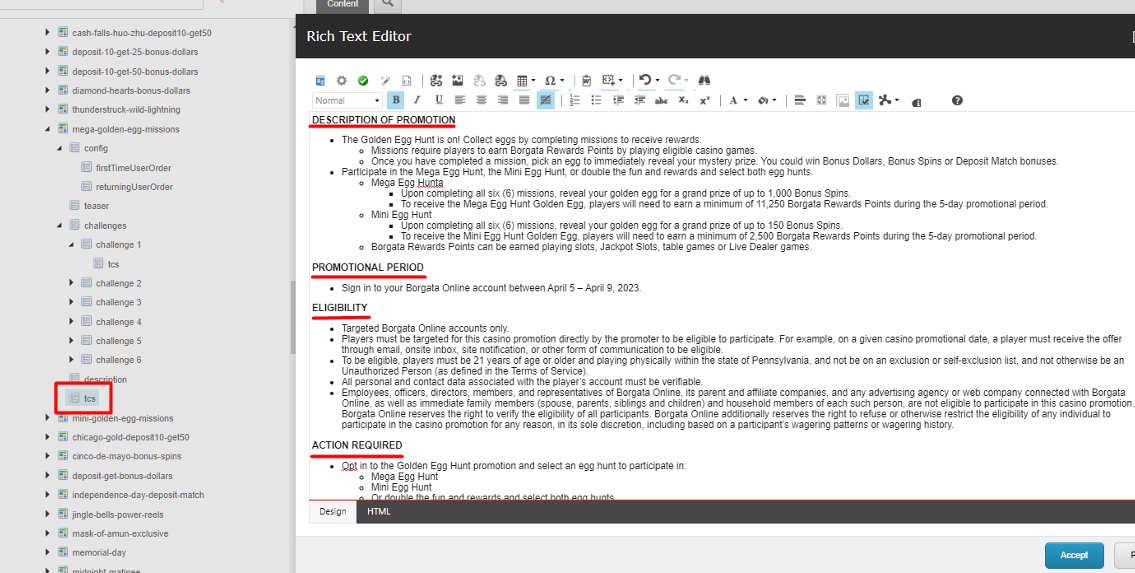
Format the TnCs as with the Casino Landing Pages, Titles are ALL CAPS with no colon(:).