Game Tiles
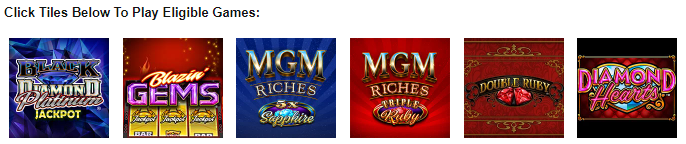
Game tiles are added to display a single or multiple games. It is often added in to terms and conditions and in the MPP description.
Game Tile
Typically, a game tile is a square image representing a game, which users can click to be able to play the game.
<a href="{Launch Smartlink}">
  <img
    alt="{Game Name}"
    src="{Game Image URL}"
    width="100"
    height="100"
    style="border: 5px solid #FFFFFF;"
  />
</a>
Generally, there are two types of game tiles: a Generic Game Tile and a Desktop and Mobile Game Tile. The only difference between them is the Launch Smartlink, which contains the path to redirect the user to the game.
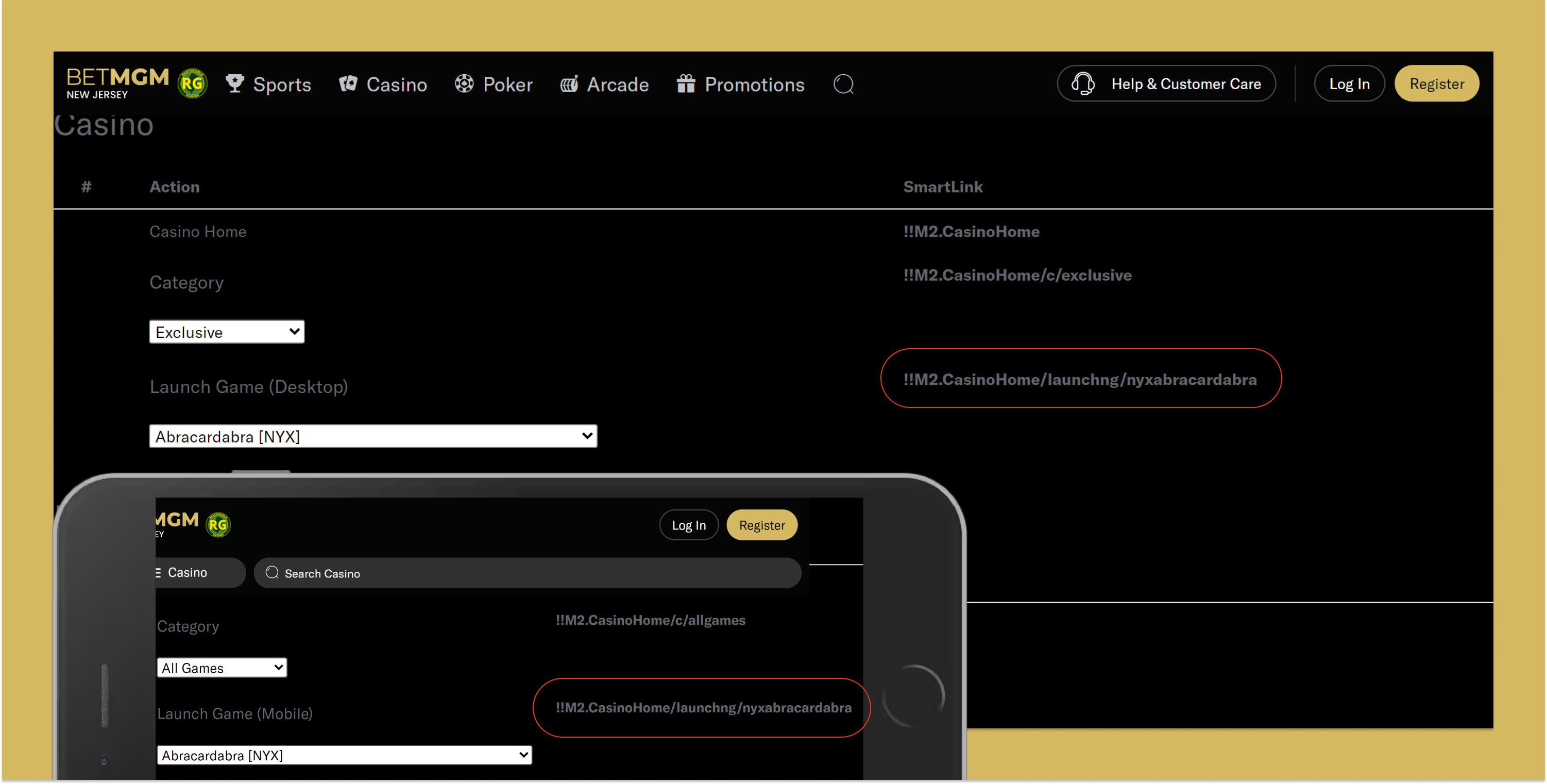
You can find the Launch Game Dropdown on the smartlinks page to get the Launch Smartlink for a game. Here's the link:
https://casino.nj.betmgm.com/en/p/tools/smartlinks
Update the URL for the smartlinks pages for all states and platforms (BetMGM, Borgata, PartyCasino, and Wheel Of Fortune) as needed.
To determine the game tile type, open two tabs of the smartlinks website and emulate mobile in one. If the links differ, use the Desktop and Mobile Game Tile; if the same, use the Generic Game Tile.
Checking the Smartlinks Page
- Generic Game Tile
- Desktop and Mobile Game Tile
Generic Game Tile
Smartlink |
|
Game Tile |
|
Desktop and Mobile Game Tile
Smartlink |
|
Game Tile |
|
When adding the game tiles to editor use this layout.
<p>
  <strong>Click Tiles Below To Play Eligible Games:</strong>
</p>
<p>
    <!-- Place Game Tiles Here -->
</p>
Use Click Tiles Below To Play Eligible Games: for multiple games and Click Tile Below To Play Eligible Game: if only one game.
Verify Game Tiles
Use guide below to ensure that each game tile is correct, regardless of using the Generic Game Tile or the Desktop and Mobile Game Tile.
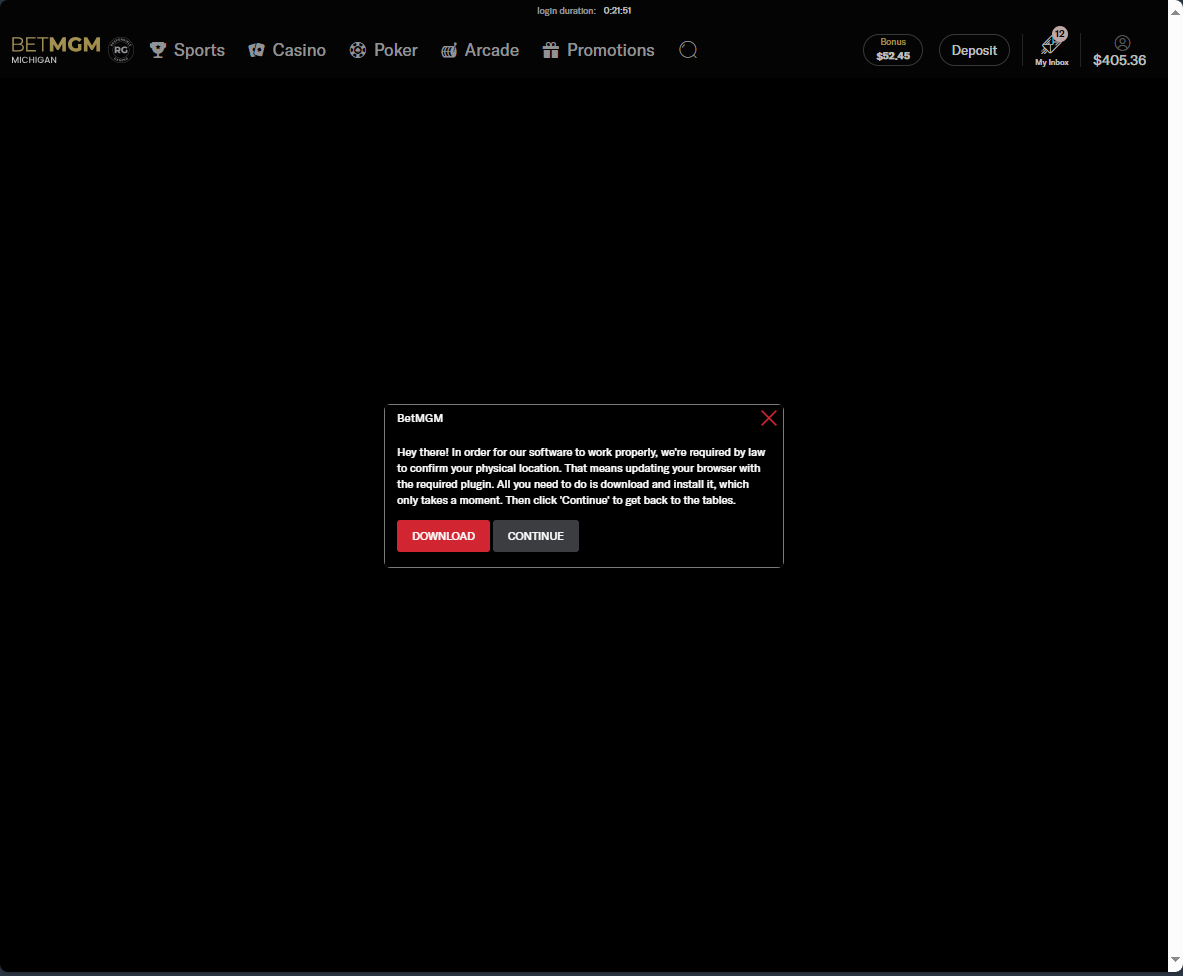
- Desktop: redirects you to download a plugin that is required to play the game
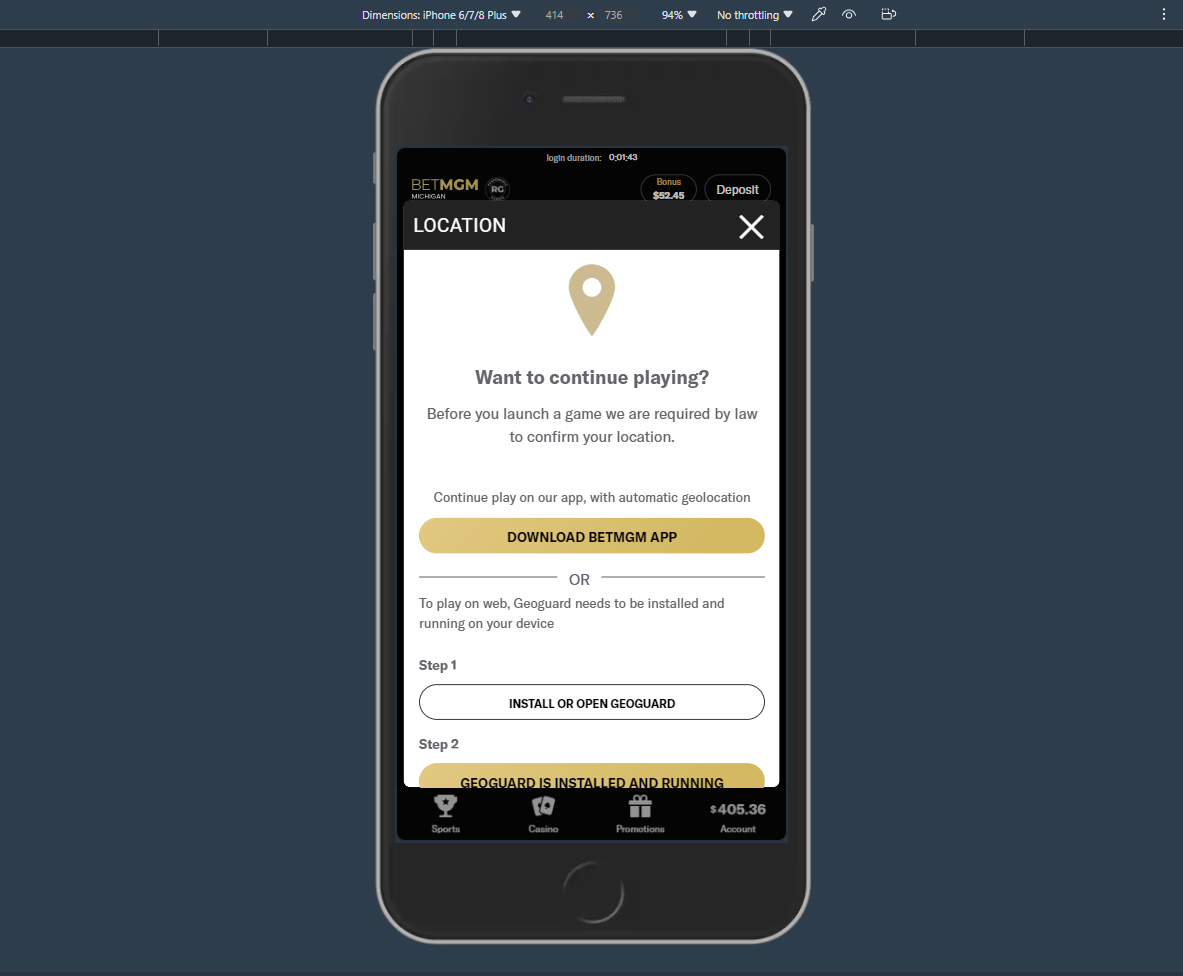
- Mobile: displays a prompt to download the app on mobile
- Desktop
- Mobile