Coin Flip
One of the Casino Engagements is the Coin Flip. In this game, the player flips a coin and predicts which side it will land on.
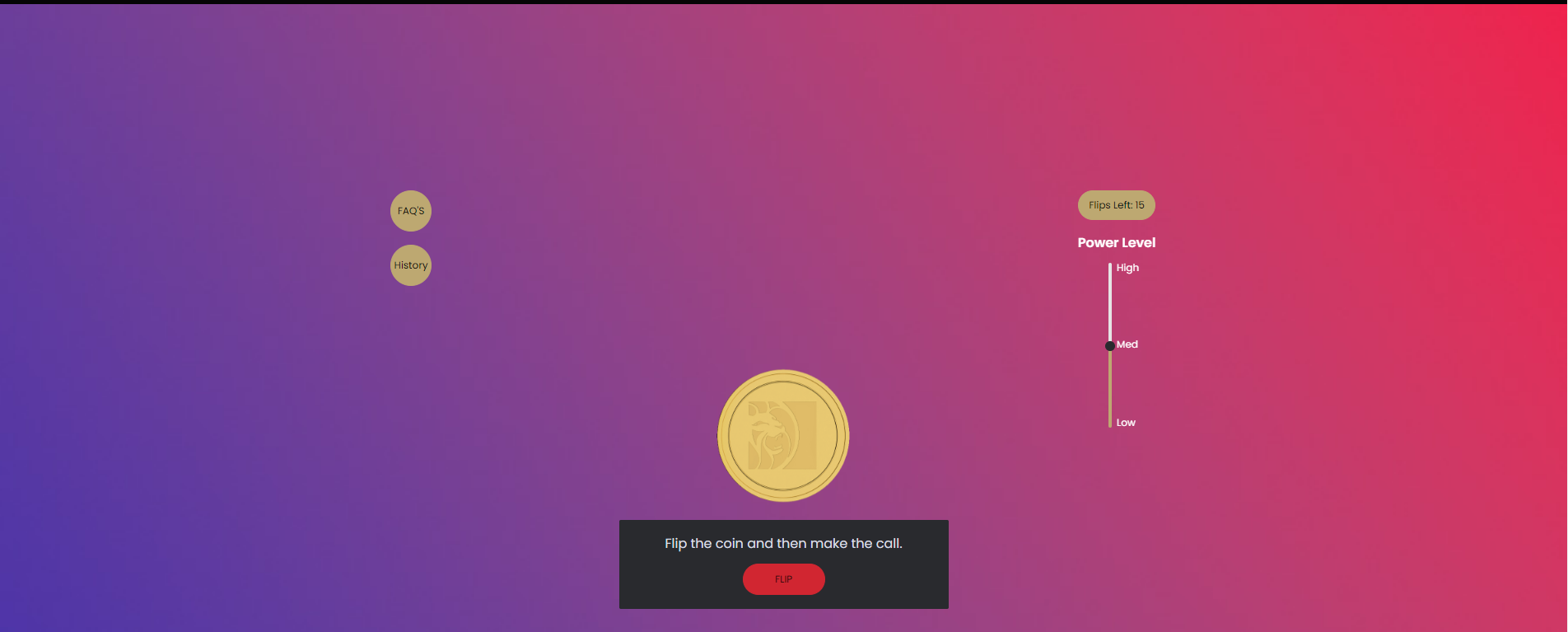
To build a Coin Flip Page, you'll need to have the following sitecore files:
- Layout
- PAT
Layout
Here, you'll edit the layout of the Coin Flip. Follow the Path below to start building.
SiteCore Path
content > Vanilla.Mobile > brand/state > Promo > Engagement > c
Step 1: Duplicate File
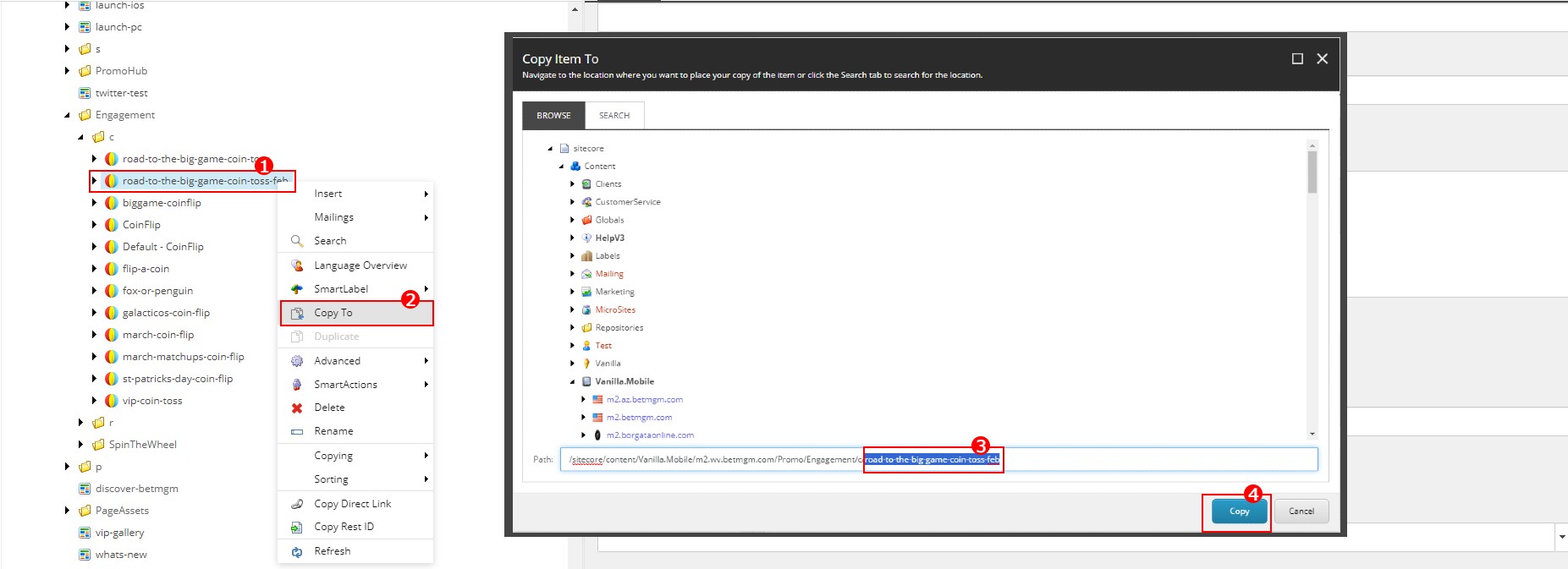
- Right-click the file you want to duplicate.
- Choose Copy To
- Remove the URL of your choosen File
- Click Copy
- Rename the file to your URL
Step 2: Edit assetsandcontent
Click the drop down icon (►) of your file, then go to assetsandcontent
Edit the Toss Section
- PreBetText
- Just edit the Gold or Purple part, depending on the color of your Coin (as seen in the assets).
<span class="txt-white" style="font-size: var(--site-spacer-l)">
  It's all in your hands
</span>

<span>Make a bet! is it going to be</span>
<span>Gold or Purple?</span>- TossConfirmationText
<span>You chose #COIN_SIDE#..</span>- TossResultText
<span>#COIN_SIDE# it is..</span>- HeadText
<span>Gold</span>- TailText
- Change this based on the Coin Color in the assets of your ticket.
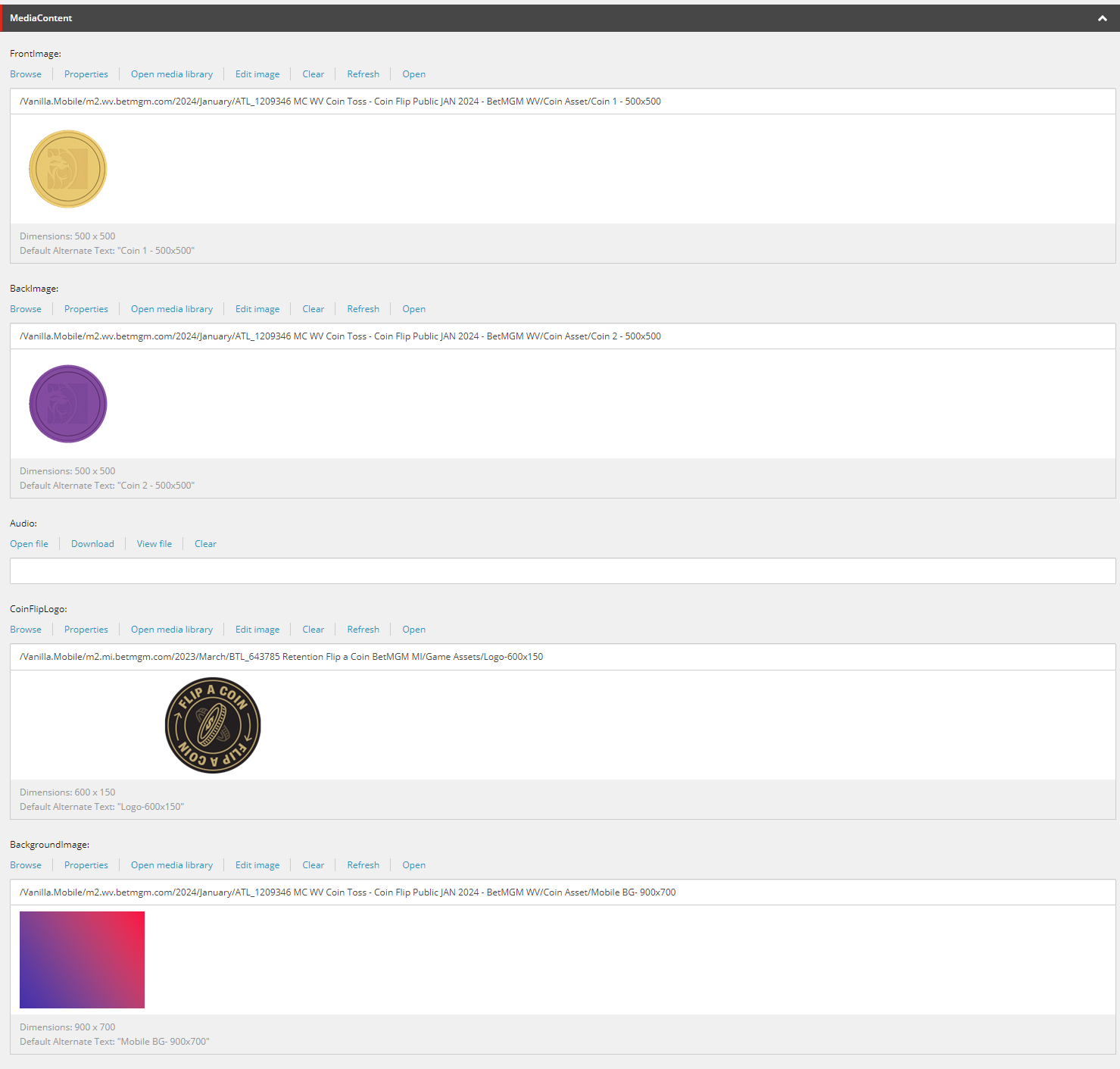
<span>Purple</span>- Edit MediaContent
- FrontImage
- Coin 1 Asset with size 500x500
- BackImage
- Coin 2 Asset with size 500x500
- CoinFlipLogo
- Logo Asset with size 600x150, if not provided can be replaced by 1px png (can be source from previous ticket/s)
- BackgroundImage
- Mobile BG Asset with size 900x700
Step 3: Edit Faqs
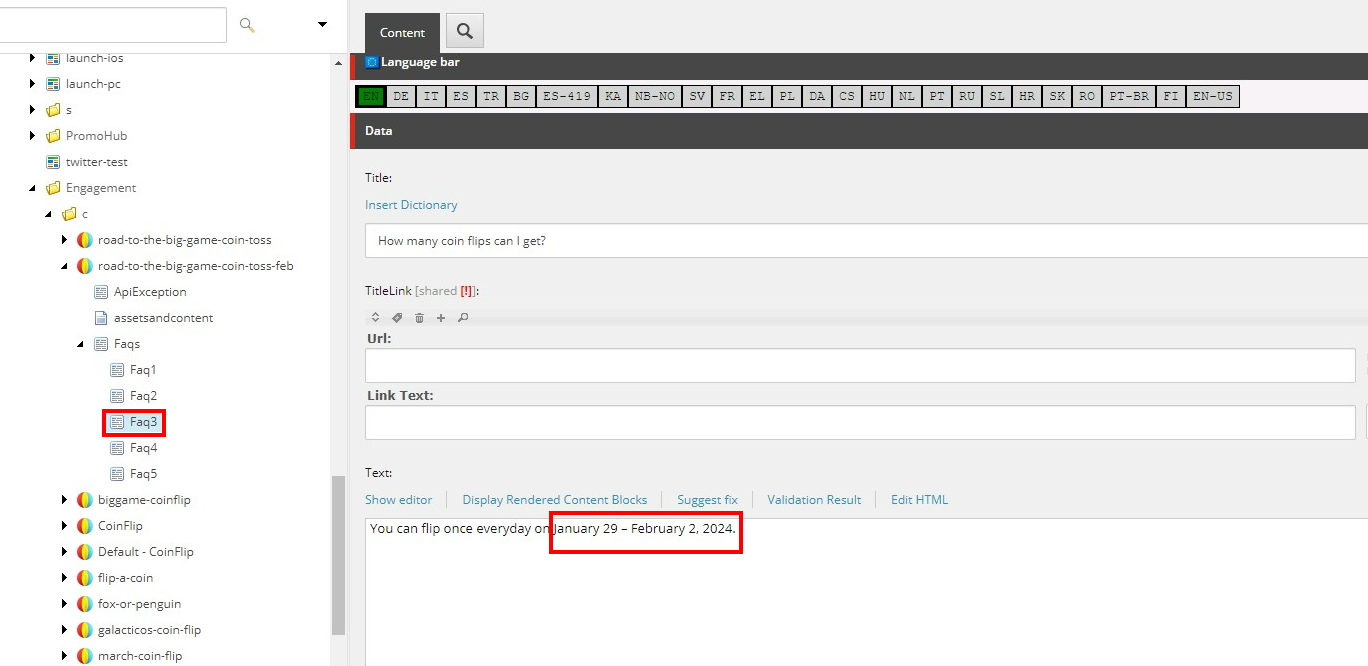
There are 5 FAQs here, but only edit Faq1 & Faq3. Click the drop down icon (►) of Faqs, then go to Faq1.
- Change the Promo Name with your Ticket's Promo Name
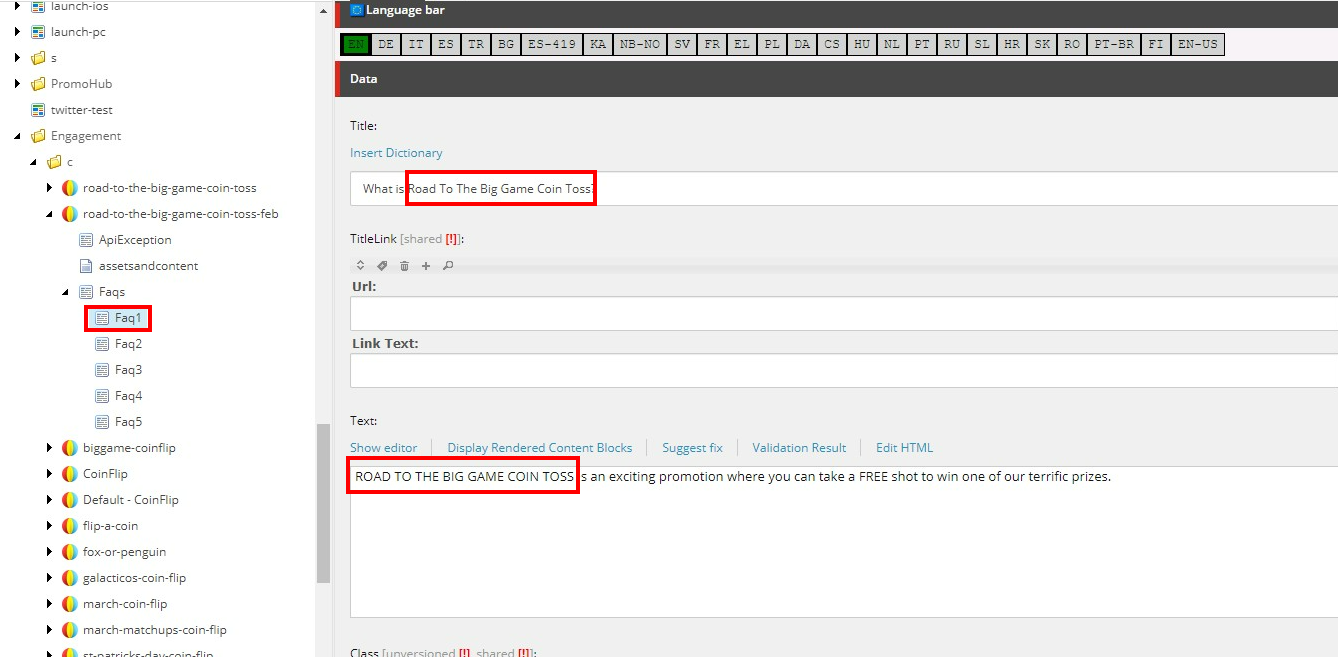
- Proceed to Faq3. Change the Promo Date with your Ticket's Promo Date
Coin Flip PAT
Info
For updating the Test Coin Flip PAT, go to this page for reference: Coin Flip PAT.