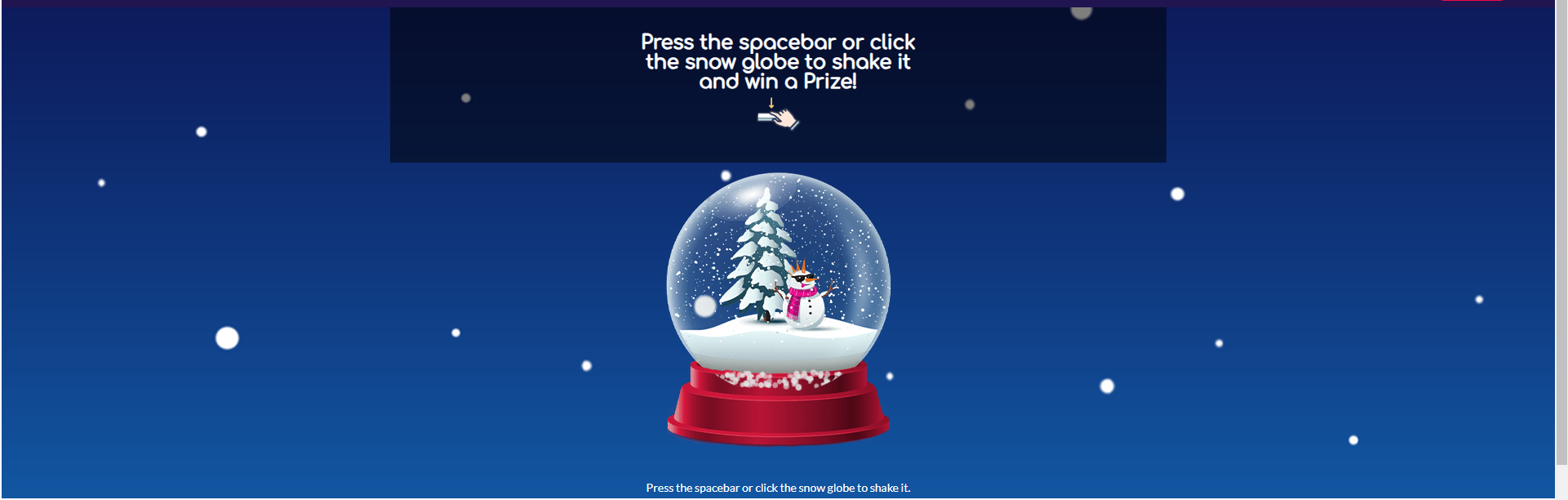
Snow Globe
Snow Globe is an Engagement tool for players to play and win prizes.
Assets
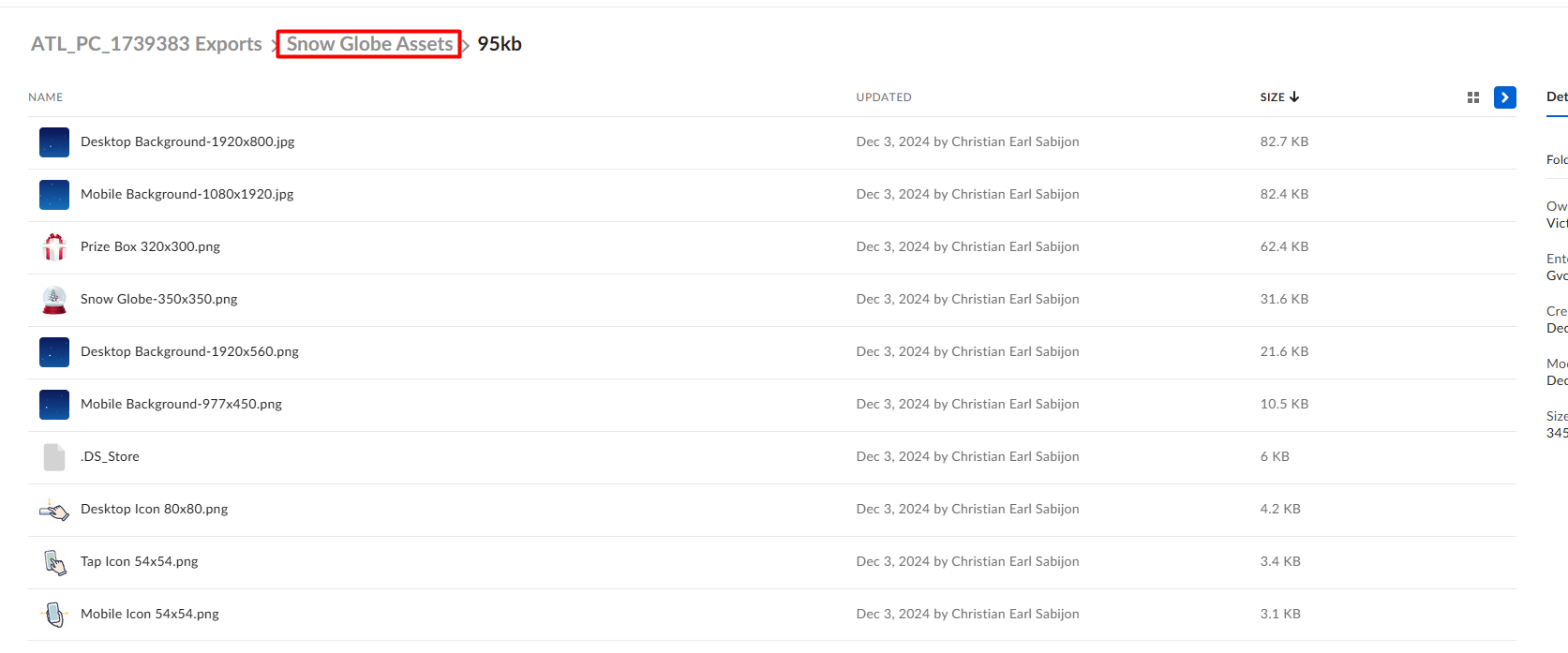
In order to properly build this component, make sure that the Box link contains a directory for the Snow Globe assets. These should be included inside:
Building the component
Layout: Content > Vanilla.Mobile > State/Brand > Promo > casino This promotion is built in the Casino Landing Page Sitecore Path
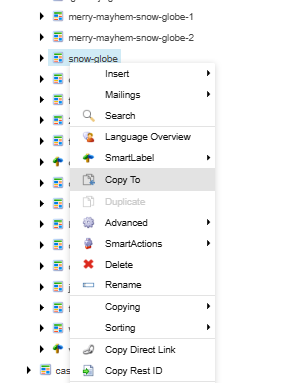
Duplicate or copy any Snow Globe promotion in the Casino Landing Page such as this one.
Content
Edit HTML
Go to Content and click Edit HTML.
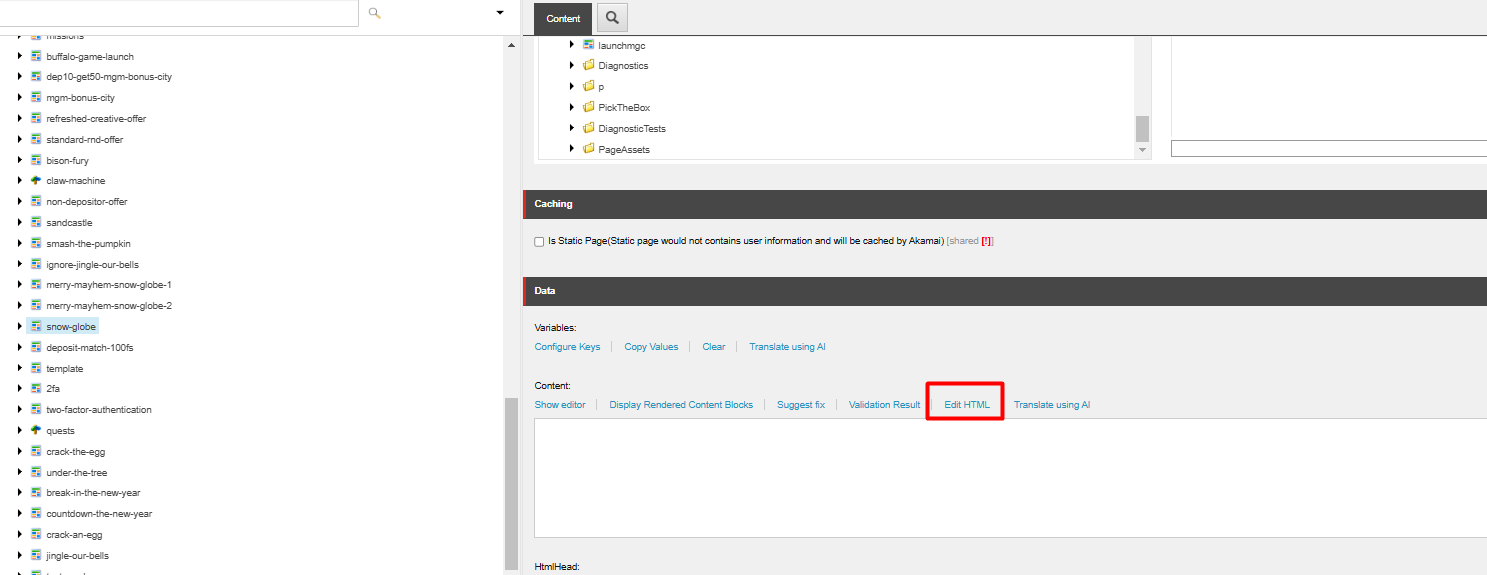
Edit the Terms And Condition.
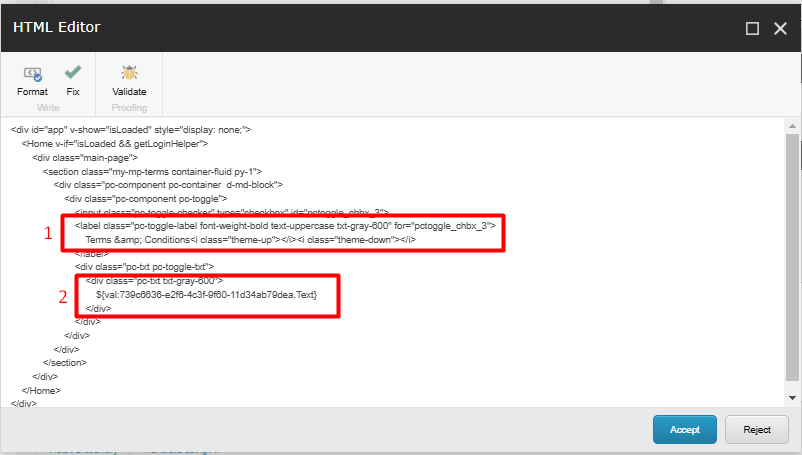
- If needed, you can change the Terms And Conditions text however you like.
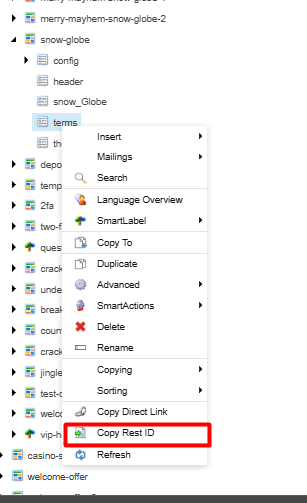
- In order to change the TnC of your build you need to get the
Rest IDof thetermsunder your File and paste it here. Do not forget to add the .Text in the last part since that is where it will grab the value of the Terms and Condition in that Rest ID.
HTMLHead
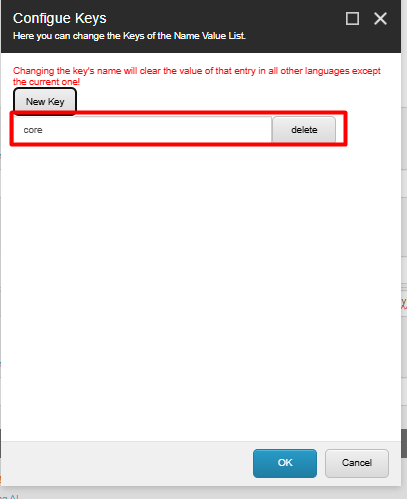
Scroll Down to HTMLHead and change the targetid to either lowercase core or lowercase vip depending if the promotion is public or VIP respectively.

StyleHeader
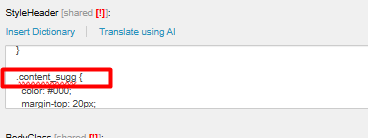
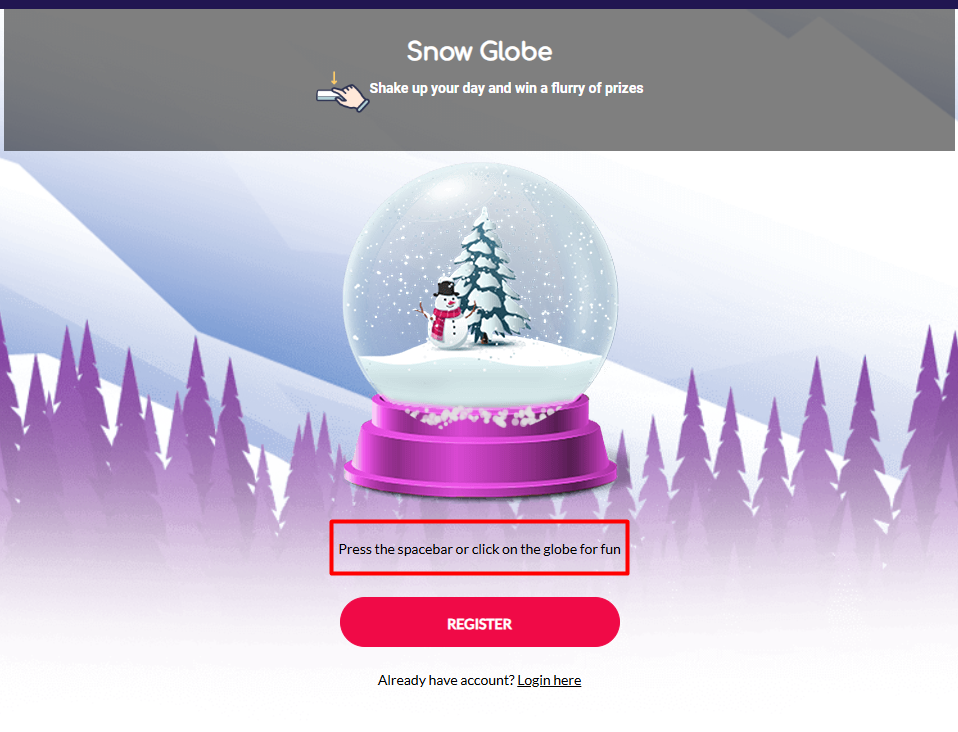
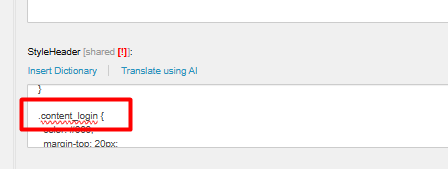
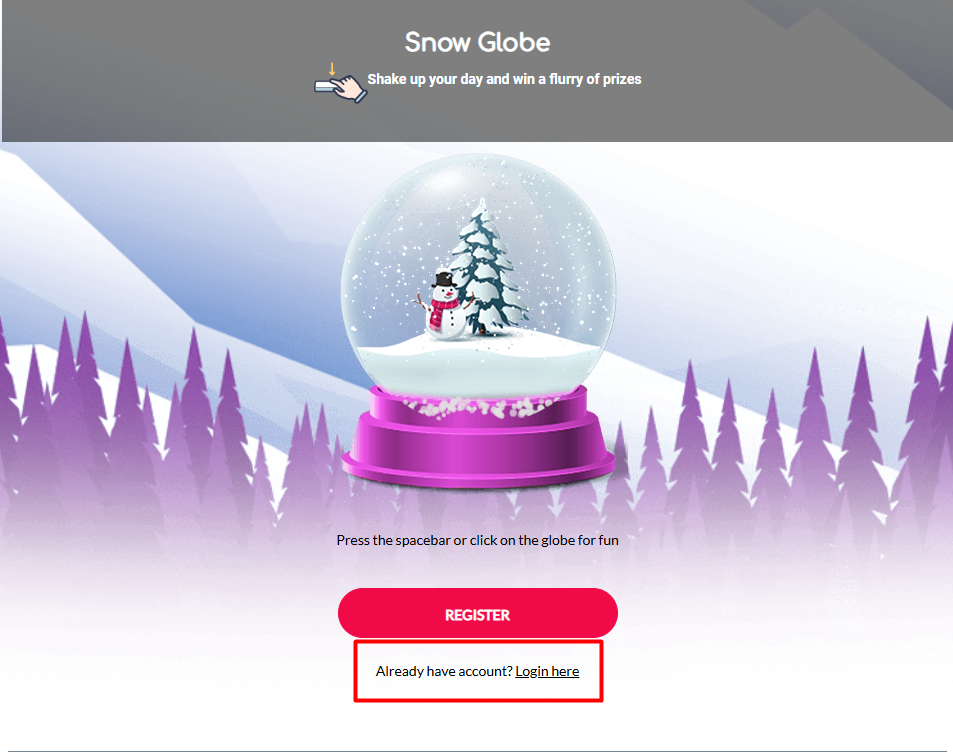
Change the text-color of the .content_sugg and content_login depending on the background of the Snow Globe ACQ.
Field | Sitecore | ACQ |
|---|---|---|
.content_sugg |
| Show/Hide
|
.content_login |
| Show/Hide
|
PageTitle
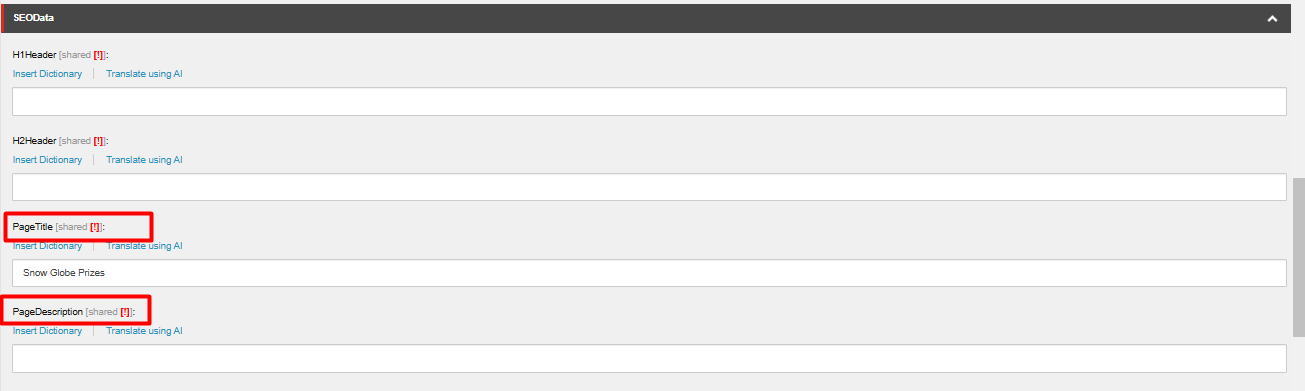
Change the PageTitle and PageDescription to PROMOHUB KEY TERMS H1 and Short Summary respectively.
config
Go to your-url-here > config > Messages > ErrorGeneral
Replace the cta-url with your Final URL.
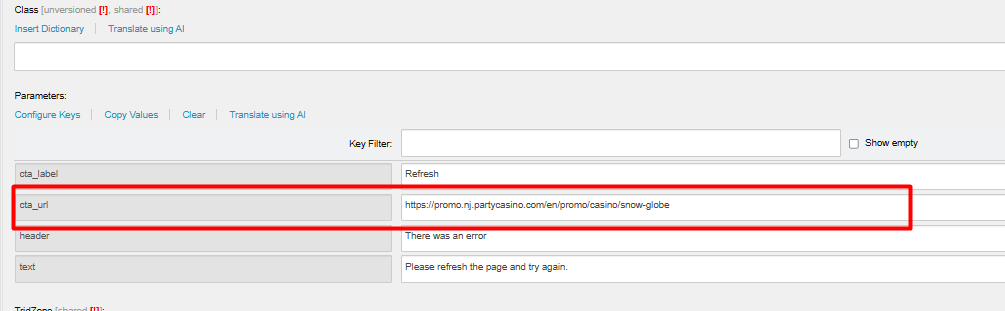
All other Sub-Directories of the Messages are written as general text just make sure to check them if the cta-url are in the correct label and state.
Make sure to use actual URLs that direct to your label and state and not smartlinks.
Go to config > TargetGroups
Input filter here and make sure to enclose your filter with "_| |_" (i.e _| "Insert filter here" |__).

If the promotion requires to use vip instead of core or vice versa you can just edit the paramater by clicking Configure Keys.

And Edit this key according to what the build needs.
header
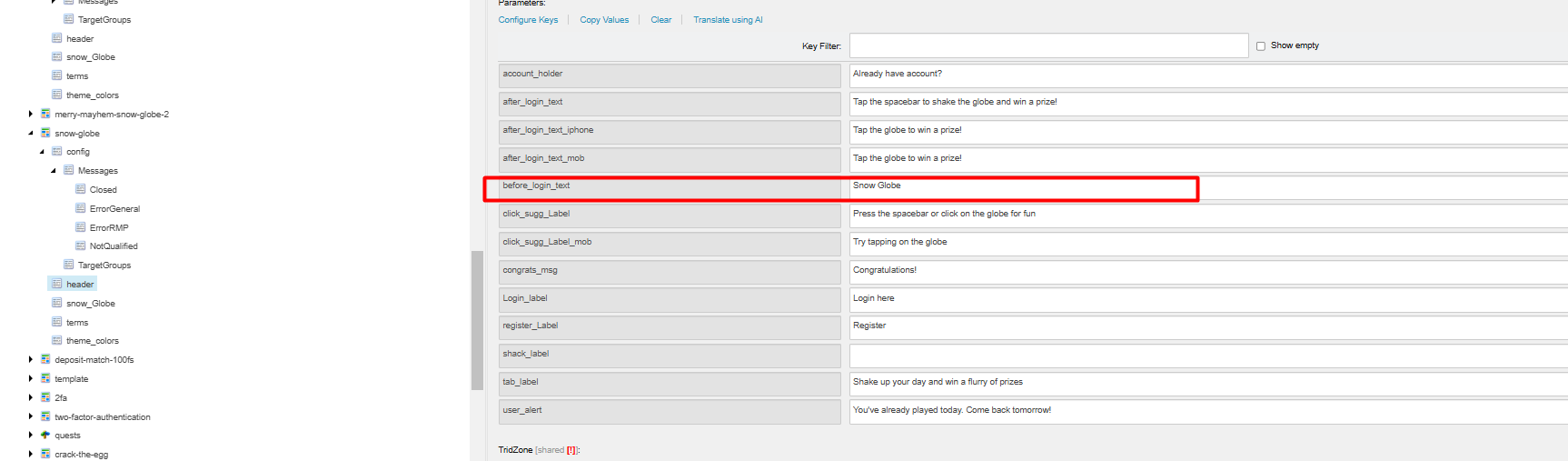
Go to your-url-here > header
Under the header sub-directory change the before_login_text with your PROMOHUB H1.
snow_Globe
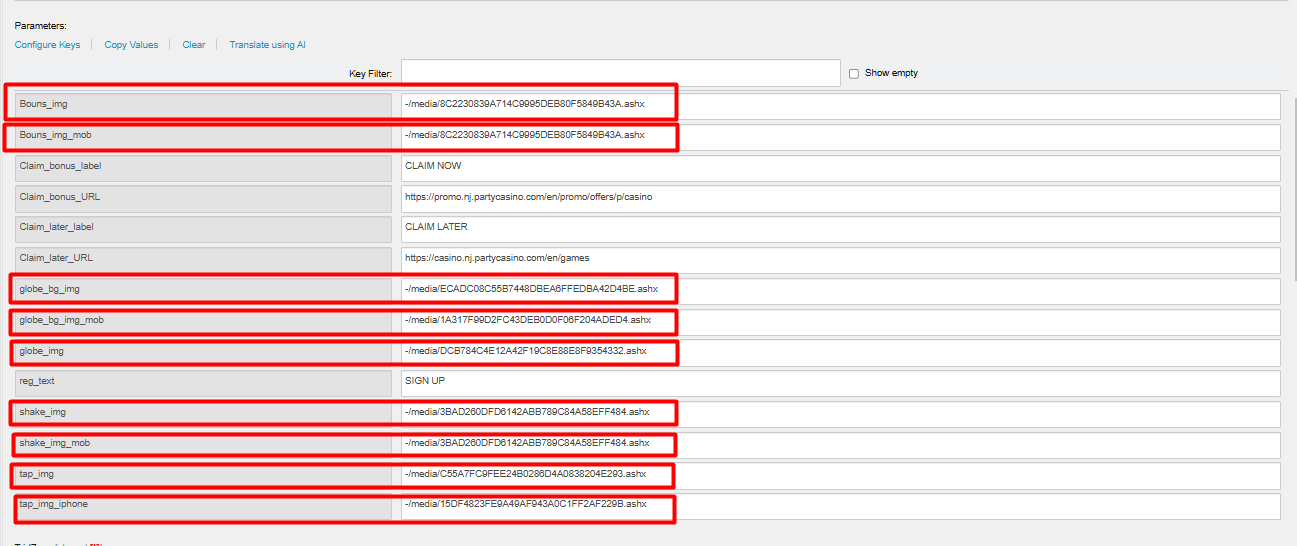
Image Assets
Field | Value |
|---|---|
Bonus_img | Prize Box 320x300 |
Bonus_img_mob | Prize Box 320x300 |
globe_bg_img | Desktop Background-1920x560 |
globe_bg_img_mob | Mobile Background-977x450 |
globe_img | Snow Globe-350x350 |
shake_img | Mobile Icon 54x54 |
shake_img_mob | Mobile Icon 54x54 |
tap_img | Desktop Icon 54x54 |
tap_img_iphone | Tap Icon 54x54 |
terms
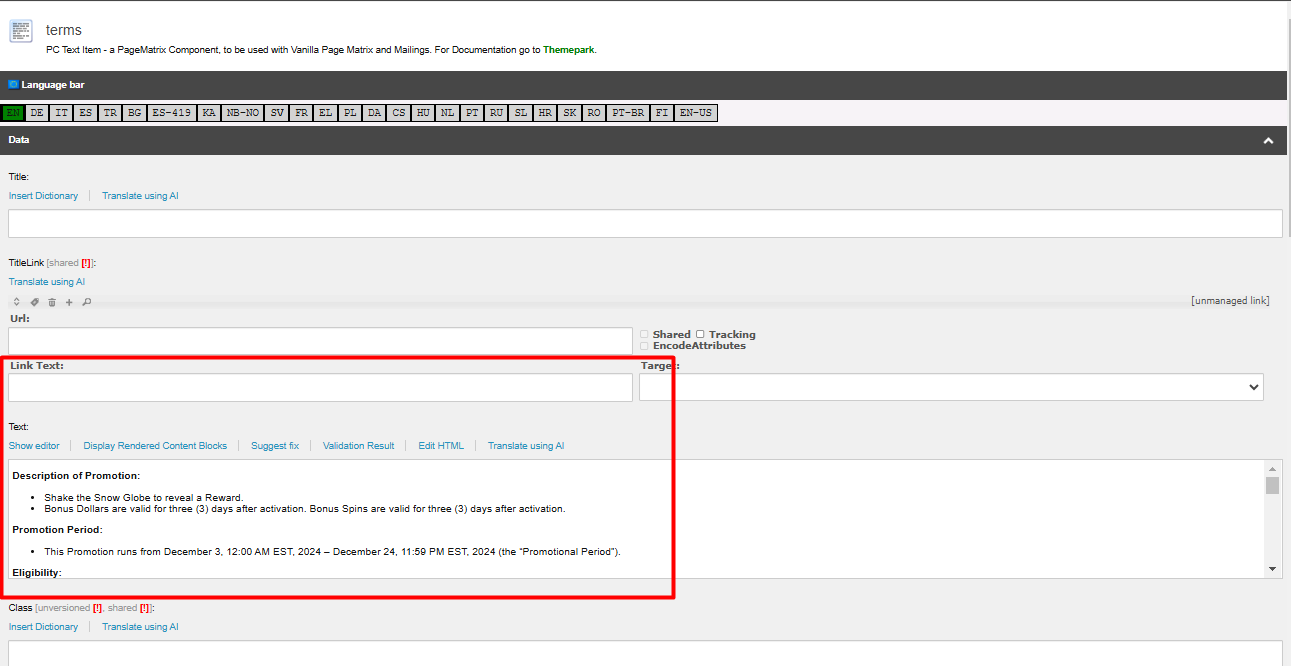
Go to your-url-here > terms
You can insert your TnC here.
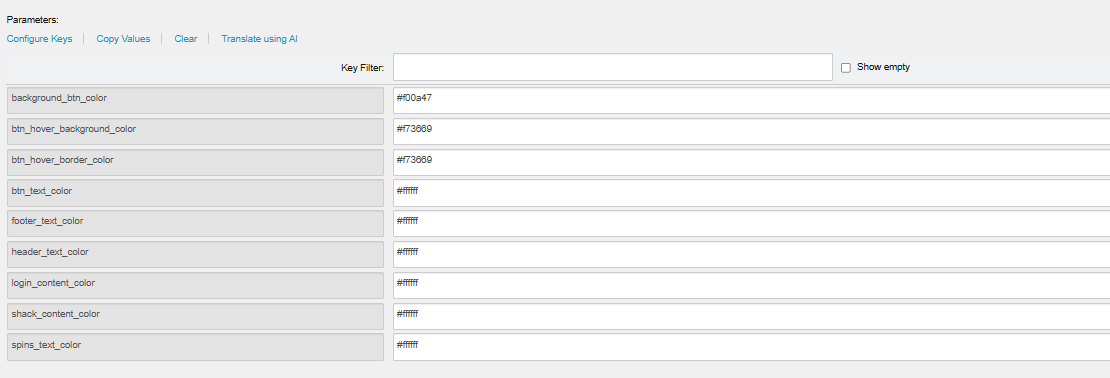
theme_colors
Go to your-url-here > theme_colors
You can change the colors of the buttons, footer and header here.